









SMS Marketing – Send Bulk SMS
Build mailing lists, write your message, test it and send it to the right people. All in one platform.

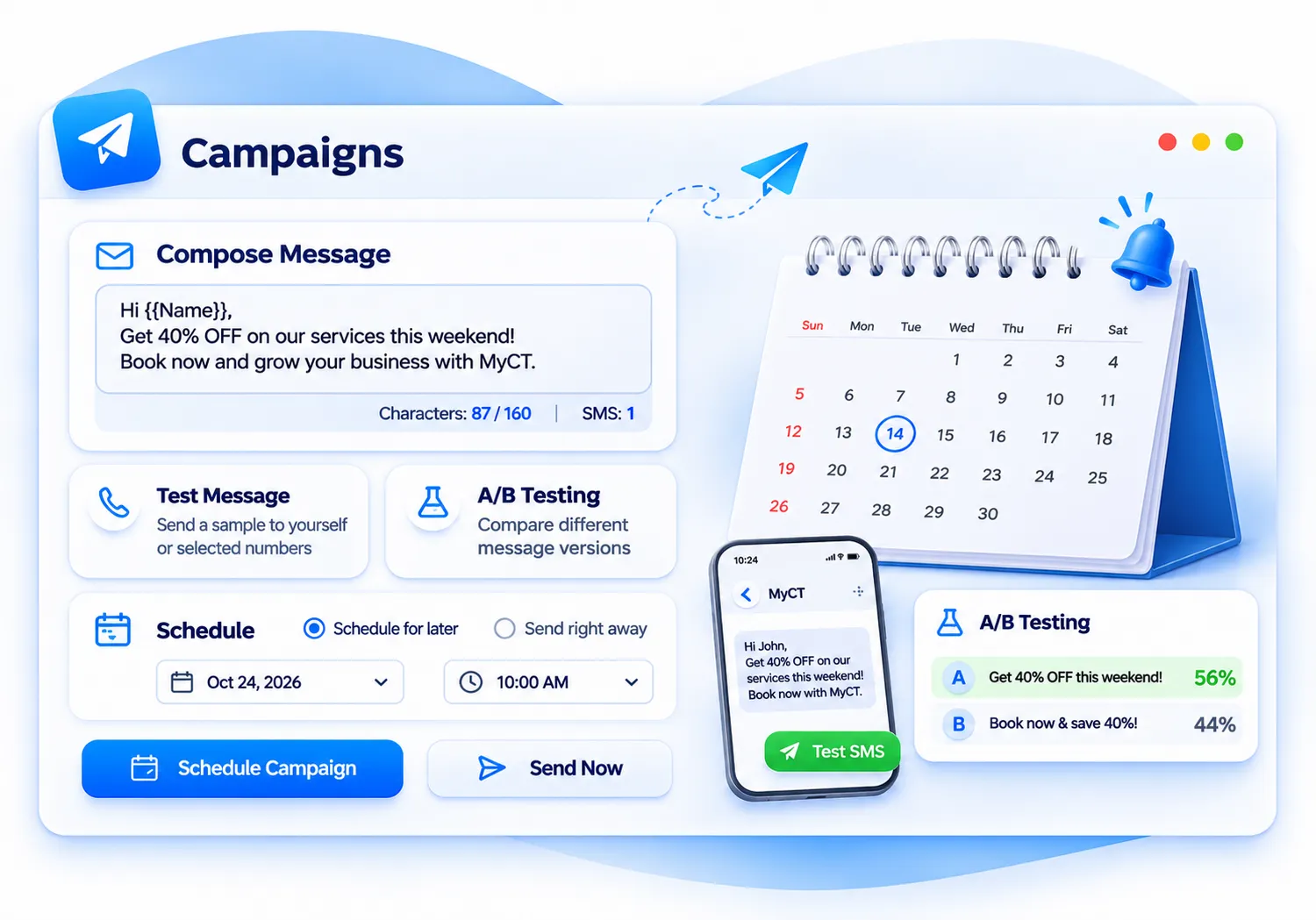
Write your message and watch the character count
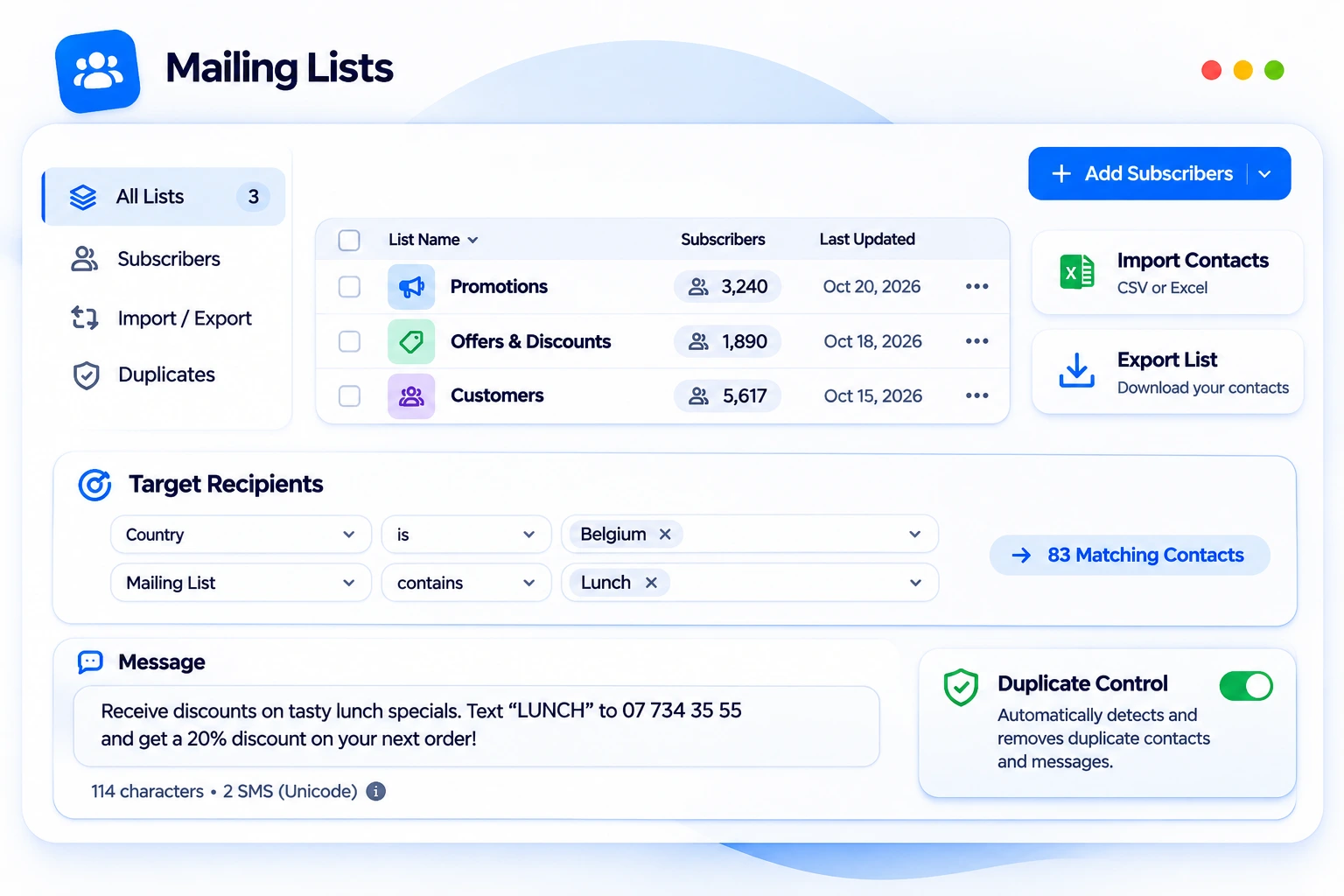
Organize contacts in mailing lists
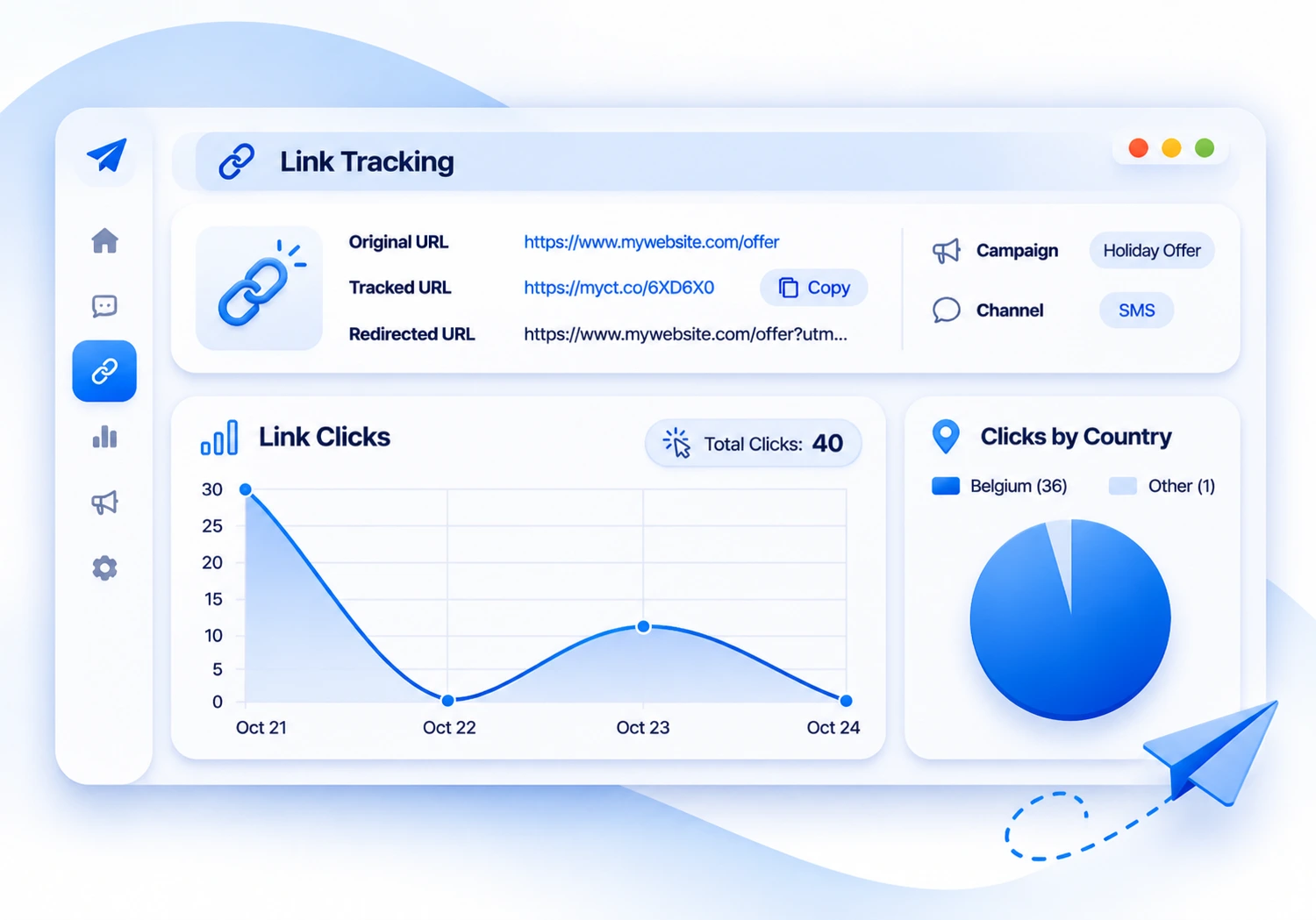
Track every link you send
AI Assistant included
A text campaign in one sentence.
Write the message and pick the list. The Assistant drafts the text, checks its length, and sends it at a sensible hour.
Just ask. Tap one to try it:
Your call. It only texts people who opted in, never at night, and anyone who replies STOP is removed.
AI Assistant
SMS MarketingFrom one sentence to a sent text
1
Say itType what you need, the way you’d say it to a colleague.
2
See itThe Assistant shows the text, who gets it and when, before anything is sent.
3
Approve itOne click sends it. Scheduled it by mistake? Undo.
The Assistant works as you, with your permissions. It never sends an email, posts, pays or publishes without your approval. Lists and numbers shown are demo data.
Reach Customers Directly
More than a text sender
SMS Marketing lets you send bulk text messages to the right lists, measure what happens next and keep every recipient in control with a one-click opt-out.
Campaigns
Write once, send with confidence
Compose, test and schedule
- Write your message with a character and SMS counter
- Send a sample to yourself or selected numbers first
- Schedule a date and time or send right away
- Compare versions with A/B testing
Mailing lists
Organize every subscriber
Lists that stay clean
Add subscribers to one or more mailing lists so future campaigns are easier to run. Import contacts from a CSV or Excel file, export lists any time, and let duplicate messages be cancelled automatically.
Send with Confidence
Give every recipient control and keep your lists accurate, so each message reaches people who want it.
Opt-out link
Add an opt-out link to any SMS so recipients can unsubscribe in one click.
Blacklist
Recipients can unsubscribe from all future messages, and you can blacklist numbers.
No duplicates
Duplicate text messages are cancelled so one message reaches each address.
Test campaigns
Send a sample campaign to double-check it before it goes out.
Reporting
See what your messages did
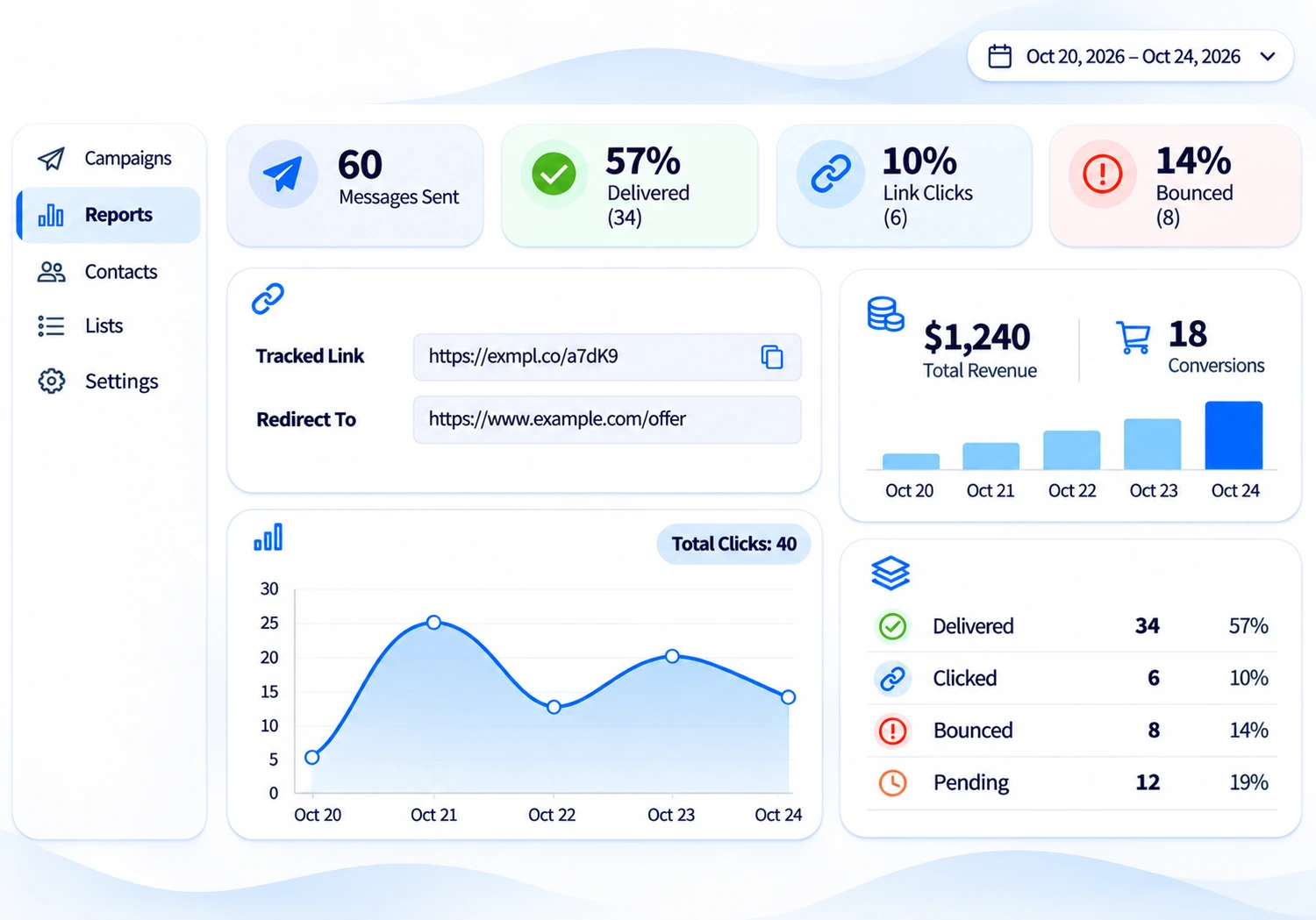
KPIs for every campaign
Analyze statistics for every link in your messages, review sent, received and bounced SMS, and examine any metric in graphs, lists and charts, including revenue.
From List to Results
Four steps for every campaign.
01
Build your list
Import contacts from CSV or Excel into mailing lists.
02
Write your message
Use templates, the character counter and tracked links.
03
Test and schedule
Send a sample, try A/B versions and pick a date and time.
04
Track results
Follow clicks, bounces, opt-outs and revenue.
Benefits of Working with MYCT | SMS Marketing Services
- Mailing lists you can import and export
- Test, schedule and A/B test every campaign
- Opt-out link and blacklist built in
- Link tracking and KPIs in one place
- Setup help and long-term support
Our Approach to SMS Marketing Setup
We start with how you reach customers today: your contacts, lists and message types. Then we set up your mailing lists, templates and tracking and show your team how to test and schedule, so your first campaign runs smoothly.
Highlights of Our SMS Marketing App
Everything you need to run text campaigns, built into one platform.
Mailing lists
Add subscribers to one or more lists for easier campaigns.
Import and export
Bring contacts from CSV or Excel, and export lists with one click.
No duplicates
Duplicate messages are cancelled automatically.
Character counter
See the character and SMS count as you write.
Test and A/B test
Send a sample first and compare message versions.
Opt-out and blacklist
Opt-out links and a blacklist for unwanted messages.
Link tracker
Statistics for every URL in your text messages.
KPIs and revenue
Graphs, lists and charts for every SMS metric.
Built for Every Kind of Team
From a first message to a full campaign routine.
Marketing Teams
Plan, schedule and send campaigns to the right lists.
Sales Teams
Send an SMS to a recipient straight from their contact form.
Shops and Local Businesses
Remind customers about orders, offers and opening hours.
Campaign Managers
Compare versions with A/B tests and follow the results.
SMS Marketing Questions, Answered
Yes. Import contacts from a CSV or Excel file, and export your lists whenever you need them.
Yes. Add an opt-out link to any SMS, and recipients can unsubscribe in one click. You can also blacklist numbers.
Yes. Send a sample campaign to yourself or to selected numbers to check it first.
Yes. The link tracker shows statistics for every URL used in your text messages.
Yes. We set up your lists, templates and tracking, and support your team after launch.