








Business FAQ – Answer Questions Before They’re Asked
Publish Your Business FAQs in Minutes
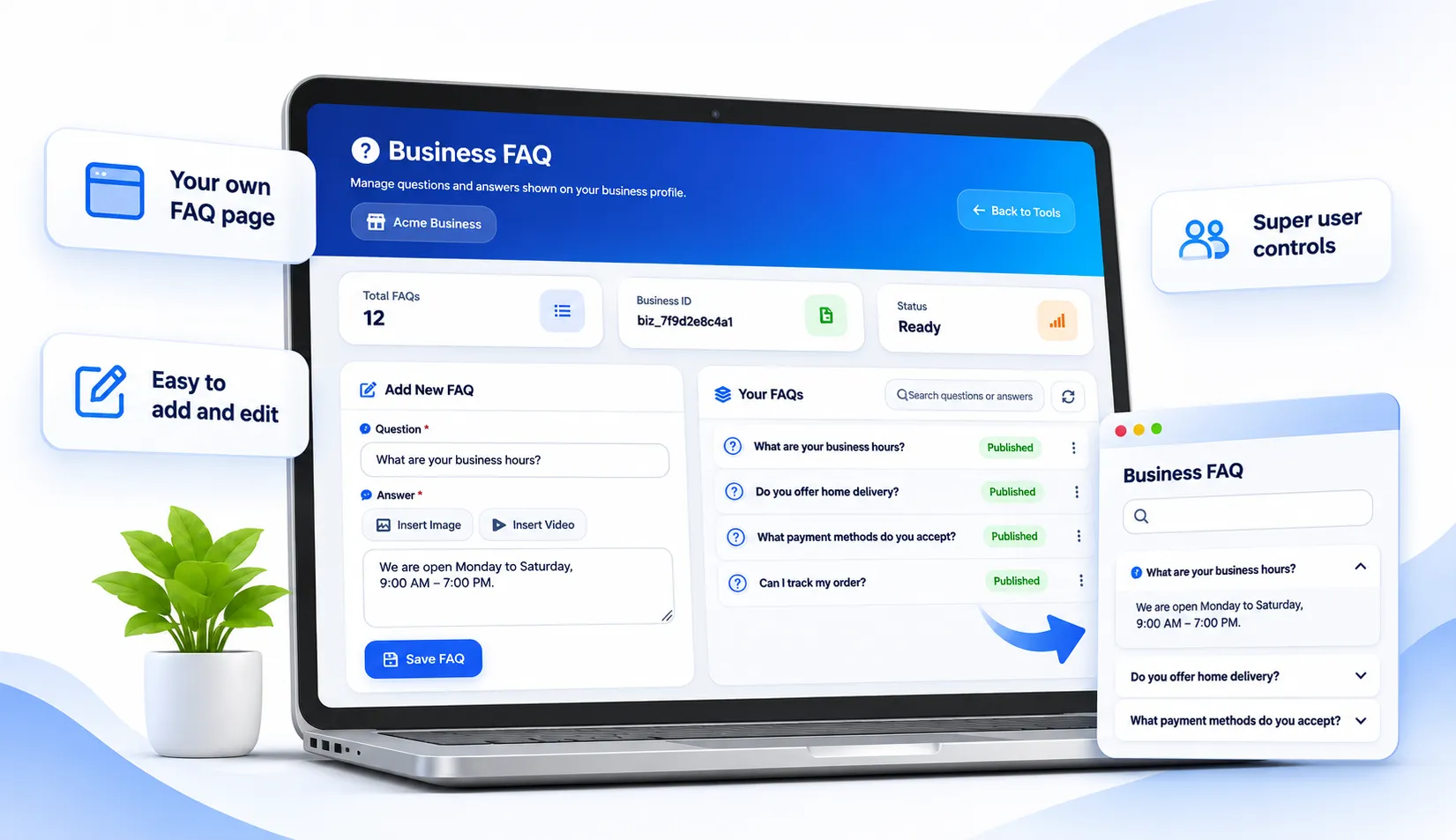
Add, edit and publish the questions your customers ask most – all from one simple dashboard. Save time on repeat enquiries and give customers instant answers about your business.
- Your own FAQ page
- Easy to add and edit
- Super user controls
Add & Edit
Manage your own business FAQs
Publish
Go live on your business page
Super User
Manage FAQs for other businesses
Always Current
Update answers any time
Answer it once. Customers find it forever.
Tell the Assistant the question and your answer. It adds them to your business FAQ, or updates the answer when things change.

The Same Questions, Over and Over
When answers aren’t easy to find, customers call, email and chat – and your team repeats the same replies all week. Customers who can’t find an answer quickly often move on.
- Repeated questions about hours, delivery and returns
- Answers scattered across chats, emails and posts
- Outdated information that confuses customers
- Lost enquiries when nobody replies in time
One Place for Every Answer
Business FAQ lets you build a clear, searchable list of questions and answers for your business. Customers help themselves, and your team gets time back.
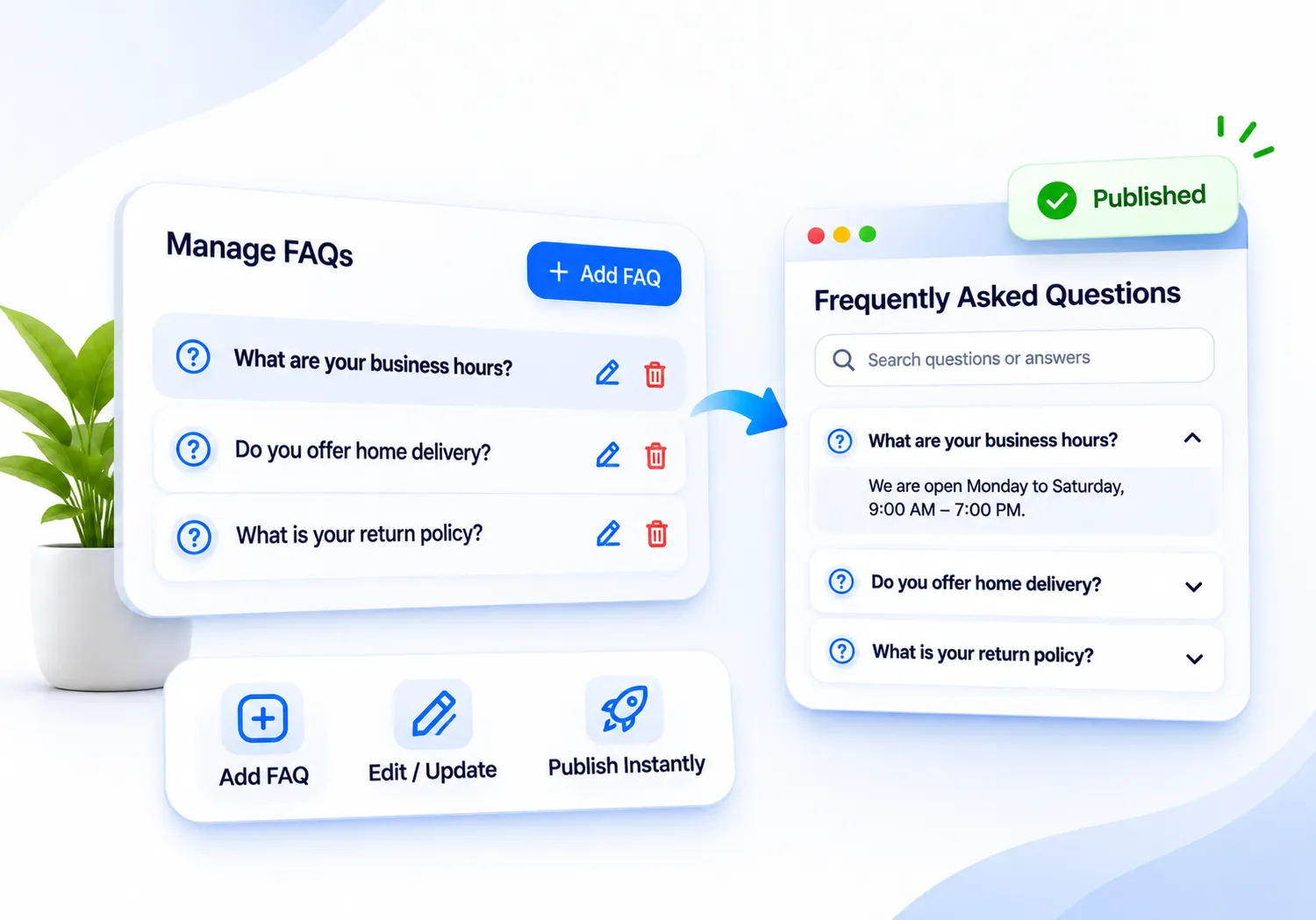
- Add your own FAQs in a few clicks
- Edit or remove answers whenever things change
- Publish instantly on your business page
- Help customers find answers without contacting you
Built for Owners and Super Users
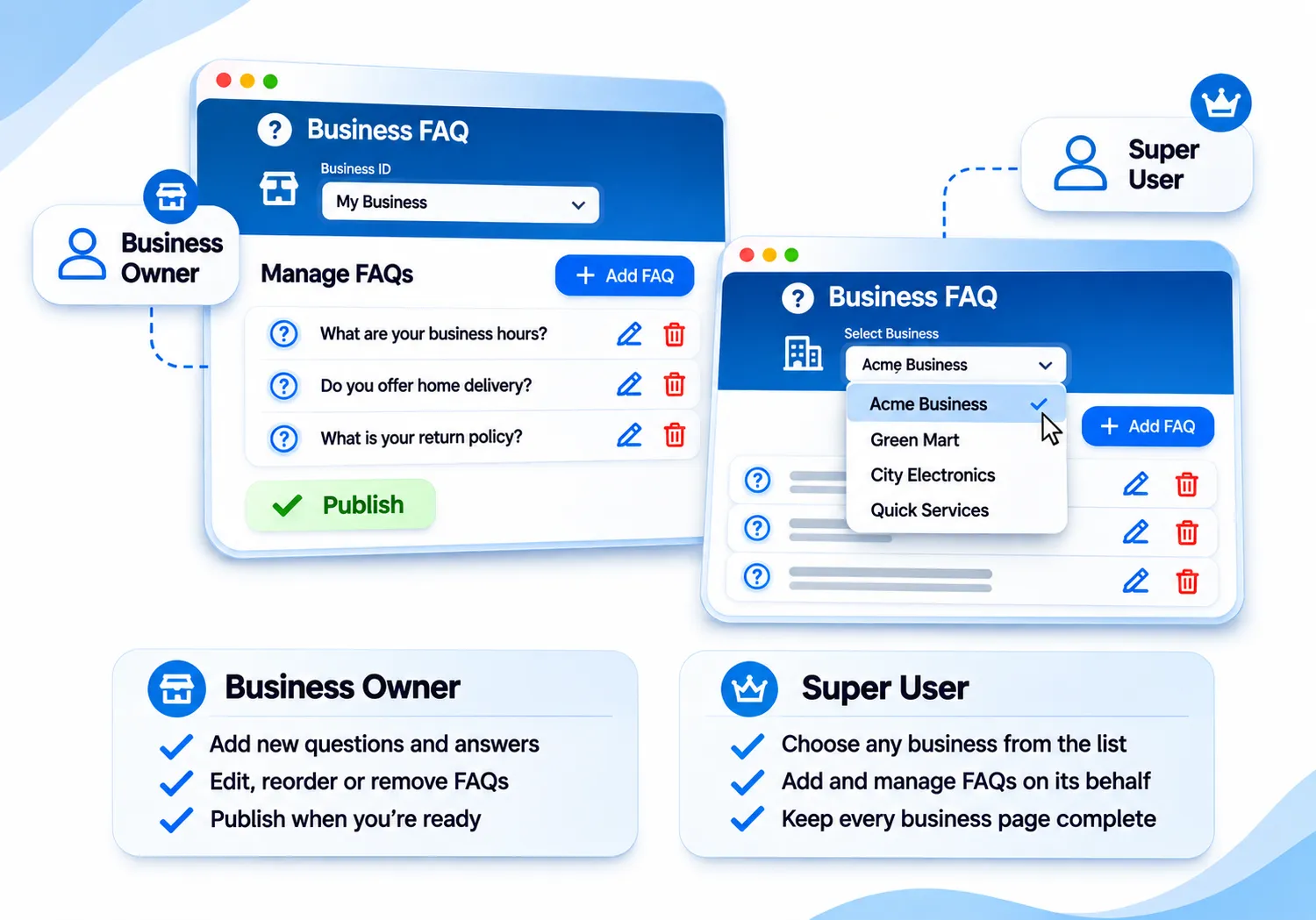
Every business manages its own FAQs. Super users can go further when logged in.
Business Owner
Add and manage FAQs for your own business.
- Add new questions and answers
- Edit, reorder or remove FAQs
- Publish when you’re ready
Super User
Logged in as a super user, you can also add FAQs for other businesses.
- Choose any business from the list
- Add and manage FAQs on its behalf
- Keep every business page complete
Watch How Business FAQ Works
Take a quick walkthrough of the tool and see how to add, edit and publish FAQs for your business.
Everything You Need to Share Answers
Simple tools that keep your business information clear, current and easy to find.
Add Your FAQs
Write questions and answers for your business in a simple form.
Edit & Organise
Update answers, fix details and keep your list tidy as things change.
Publish to Your Page
Make your FAQs visible to customers on your business page.
Easy for Customers
A clear list that helps customers find answers fast.
Super User Management
Super users can add FAQs for other businesses when logged in.
Role-Based Access
Business owners manage their own FAQs; super users manage across businesses.
From First Offer to Repeat Referrals
Four simple steps to launch your referral programme.
Log In
Sign in to your MyCT business account.
Add Your Questions
Create FAQs for your own business, or pick another business if you’re a super user.
Publish
Save and publish so customers can see your answers.
Keep It Fresh
Edit or add FAQs whenever your business changes.
Questions About Business FAQ
Quick answers about how the tool works.
Any business owner can add and manage FAQs for their own business. Super users can also add FAQs for other businesses when they are logged in.
A super user can select another business and add or manage FAQs on that business’s behalf, helping keep every business page complete.
Yes. You can update an answer, change a question or remove an FAQ at any time, so your information always stays current.
Published FAQs are shown to customers on your business page, so they can find answers without contacting you.
No. Adding an FAQ is as simple as typing a question and an answer, then publishing.