








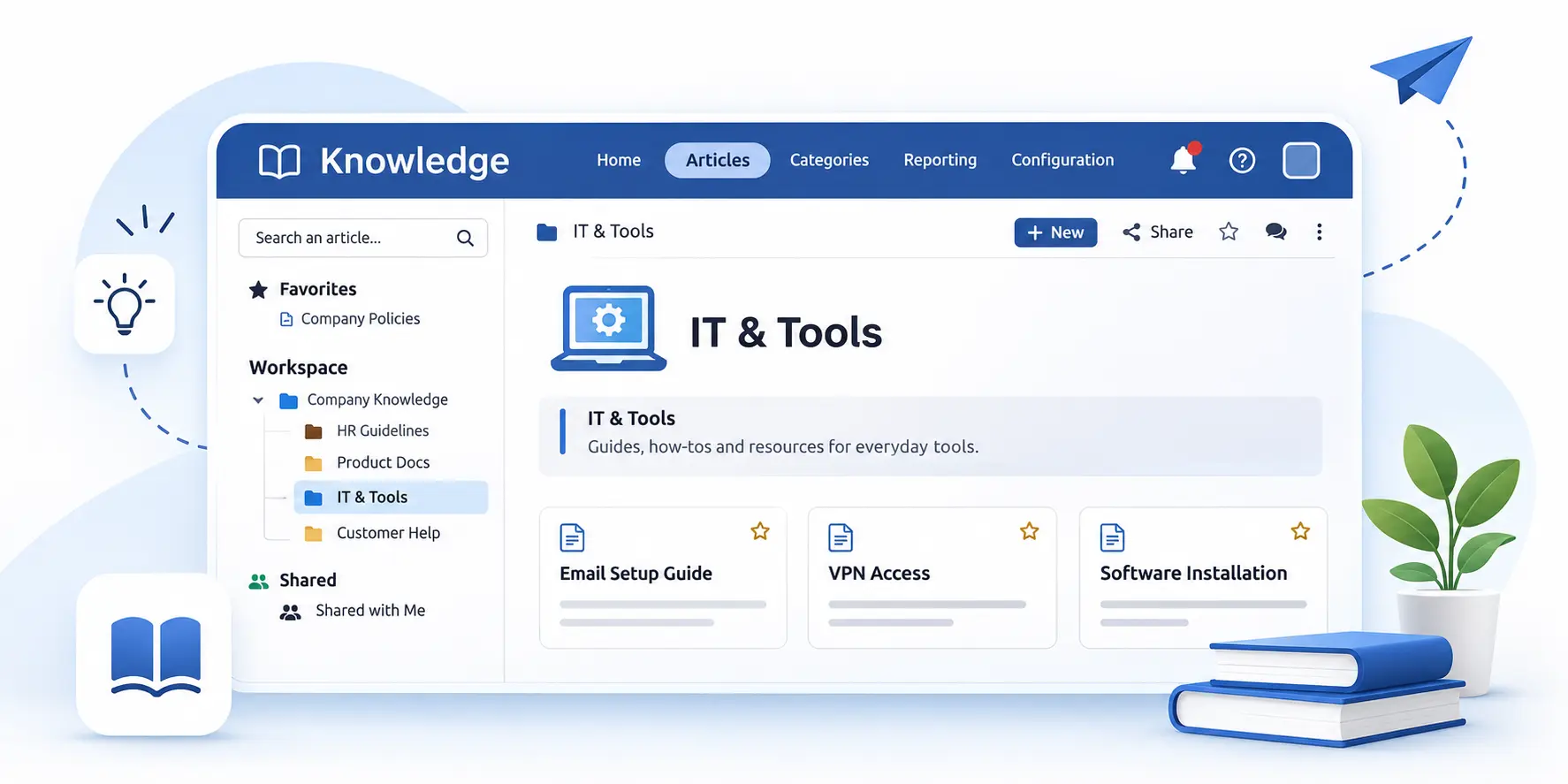
Knowledge – All Information, One Place
Build a knowledge hub for employees and customers alike. Write, organize and share articles in one platform.
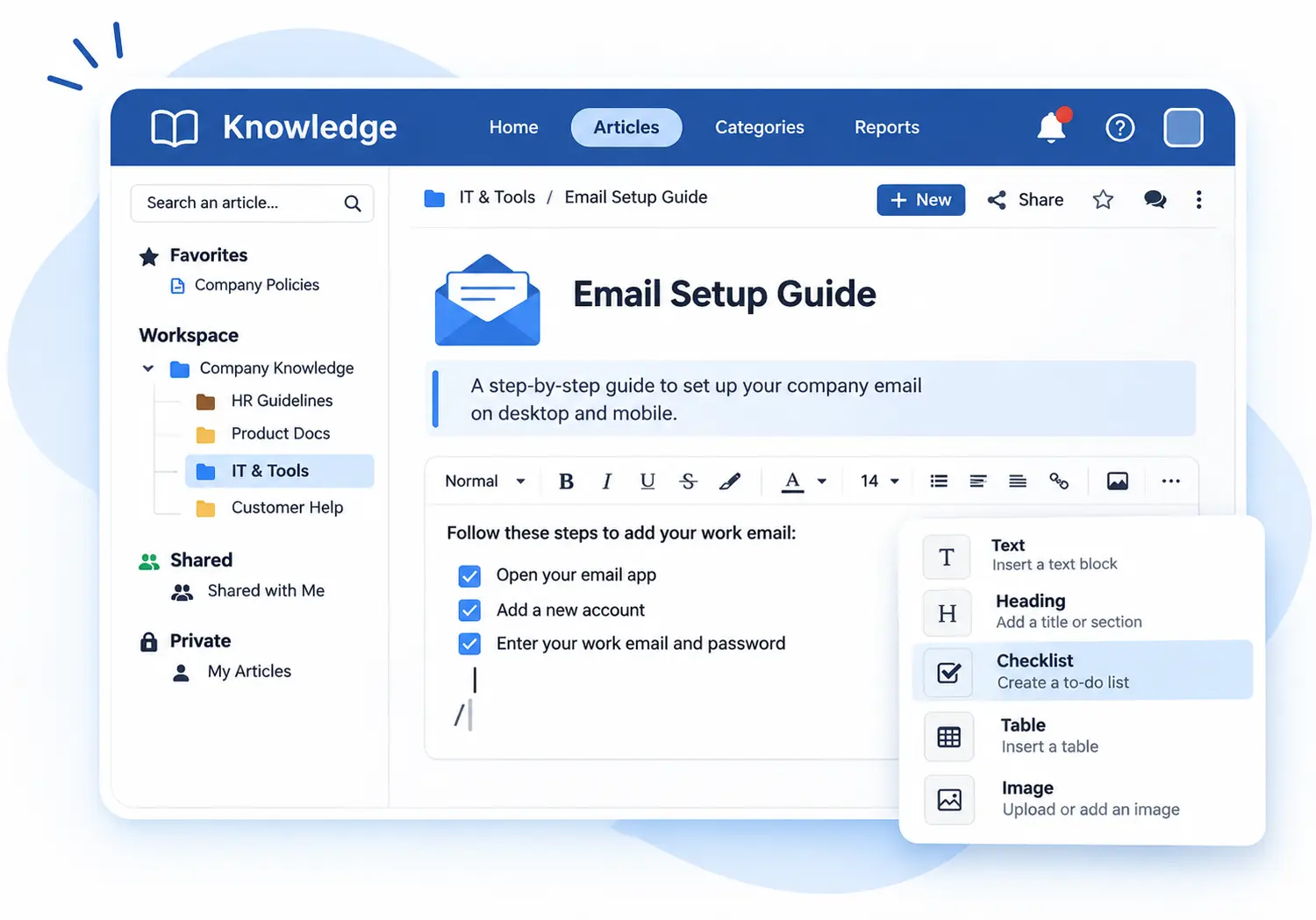
Write rich articles with a simple / command
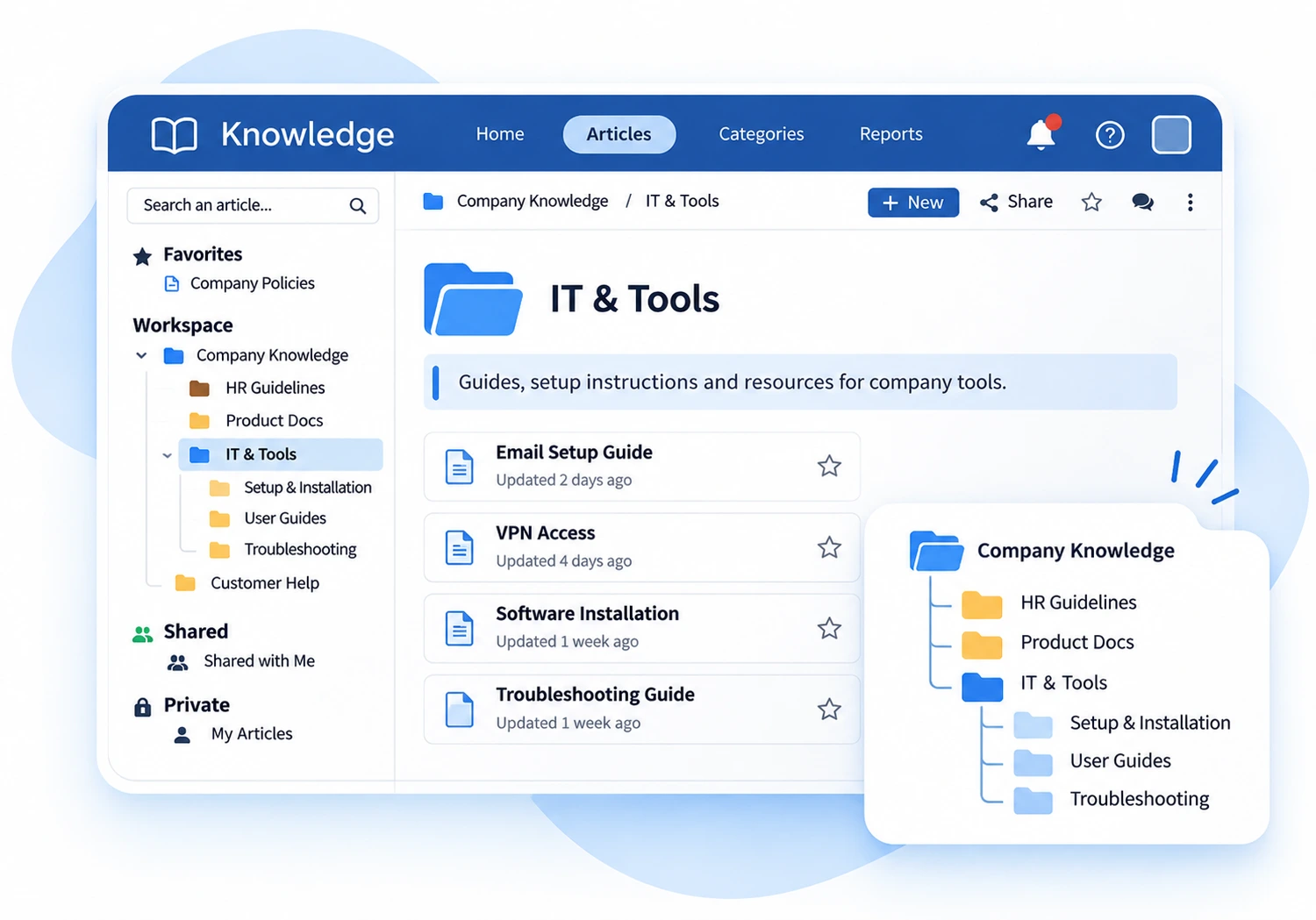
Organize pages in a clear article tree
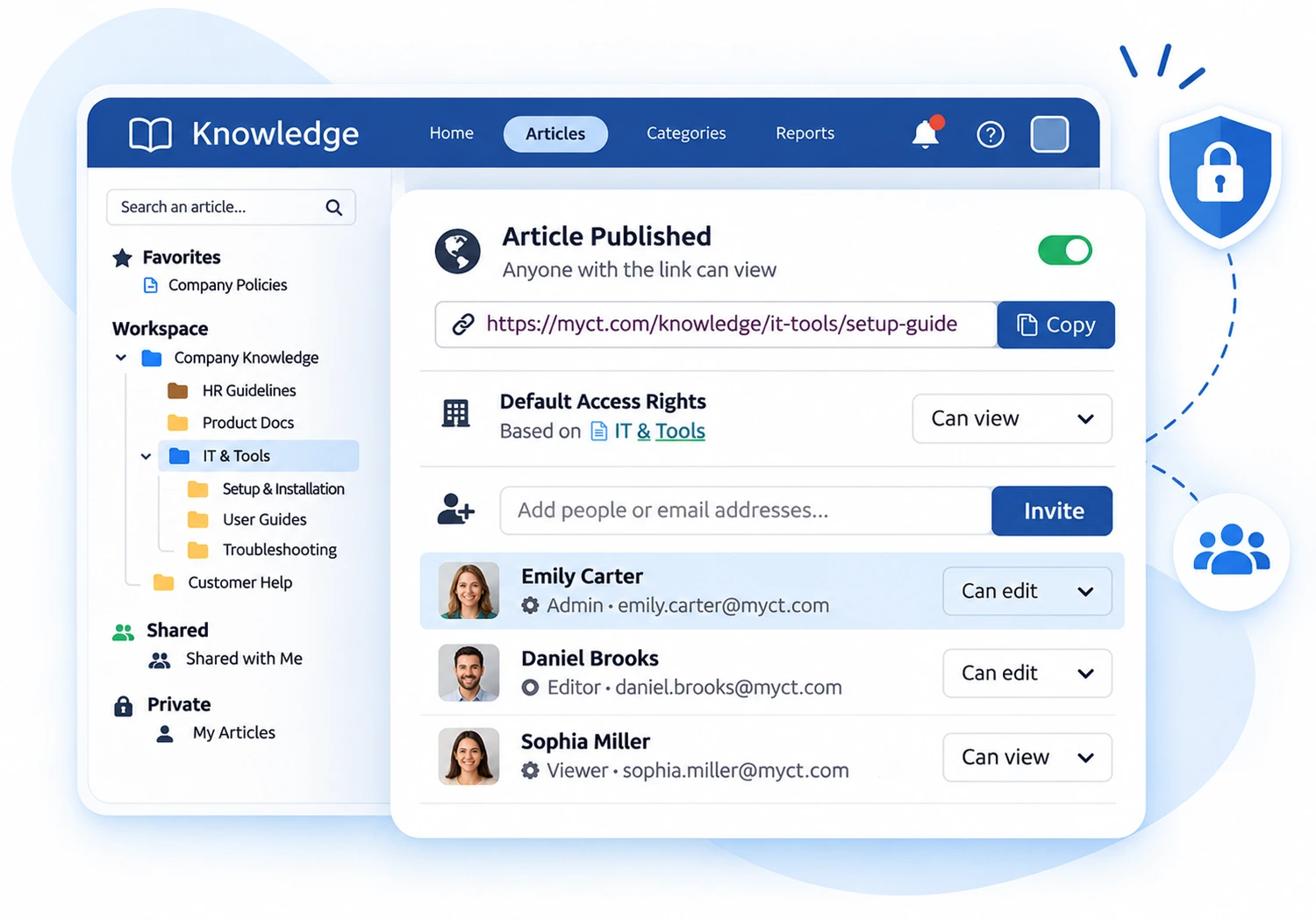
Choose who can view and edit each page
AI Assistant included
Write it down once. Everyone can find it.
Give the Assistant the rule in your own words. It turns it into a handbook article, or adds a section to an existing one.
Just ask. Tap one to try it:
Always your call. It writes what you give it and never makes up a policy. New articles stay private until you share them.
AI Assistant
HandbookFrom one sentence to a handbook page
1
Say itType what you need, the way you’d say it to a colleague.
2
See itThe Assistant shows exactly what will change, before anything is saved.
3
Approve itOne click and it’s done. Changed your mind? Undo.
The Assistant works as you, with your permissions. It never sends an email, posts, pays or publishes without your approval.
A New Home for All Your Company Knowledge
More than a document folder
Knowledge is the shared space for your processes, onboarding guides and instructions. Write each page once, then organize, search and share it with the right people.
Build, organize, control
Build Any Page, Communicate Any Idea
A powerful editor, flexible structure and clear access rights, all in one workspace.
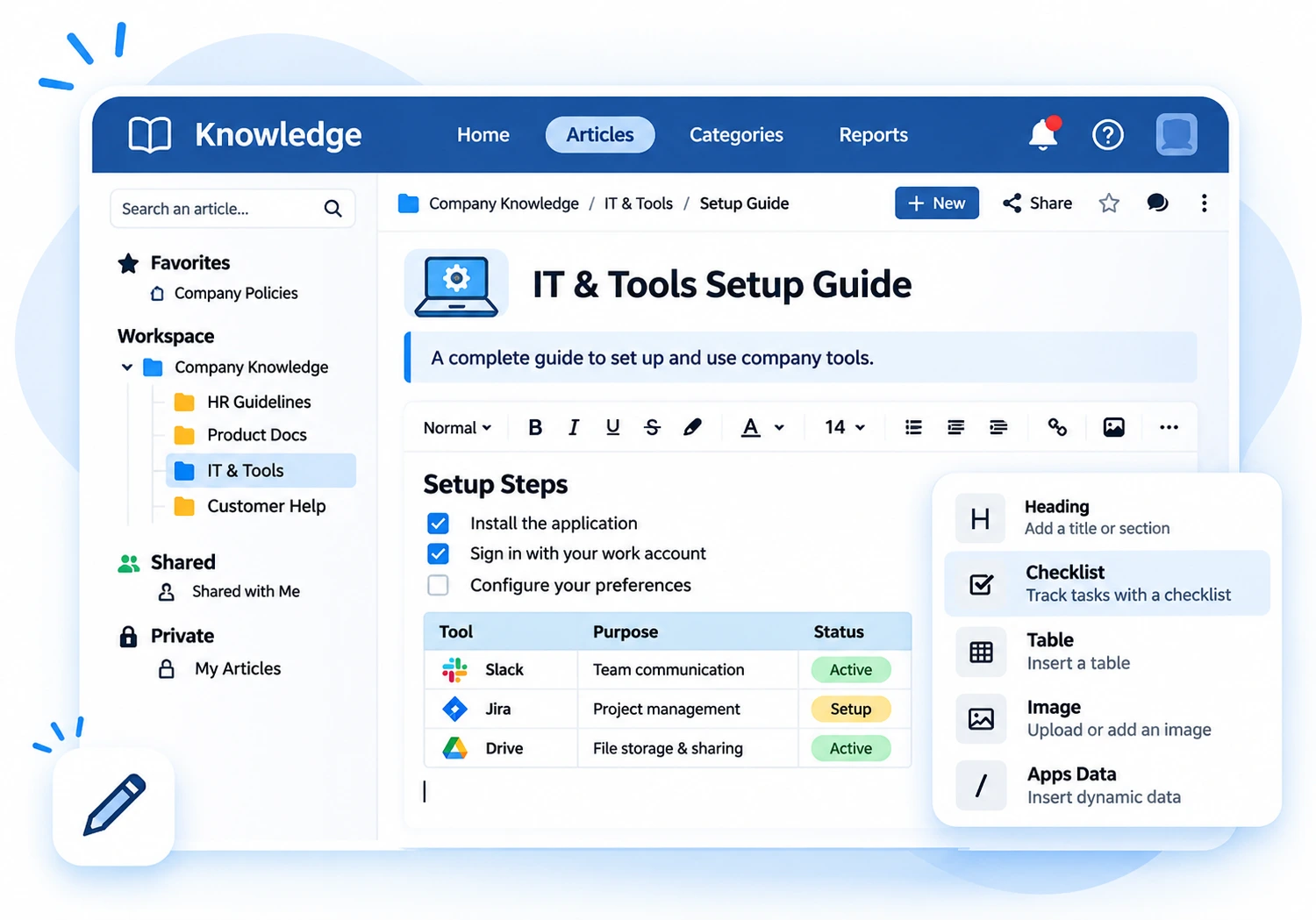
Powerful text editor
Type “/” and present your content in its best form
Add headings, tables, checklists and images, and bring in dynamic data from your business apps.
- Collaborate on the same page at once
- Autosave with revision history
Flexible organization
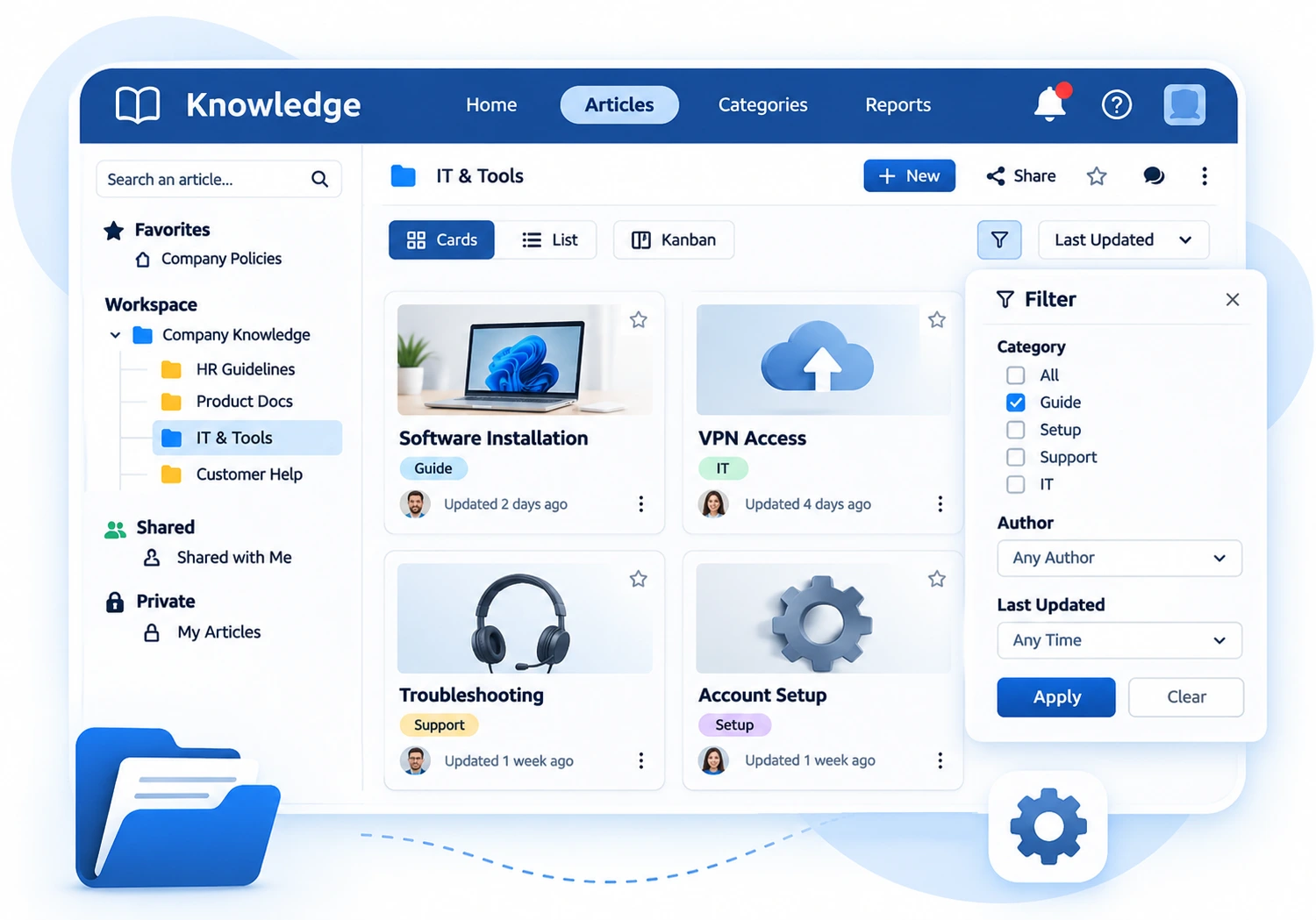
Endless ways to structure your info
Sort content with custom fields, then move through it with personalized views and filters.
Access rights
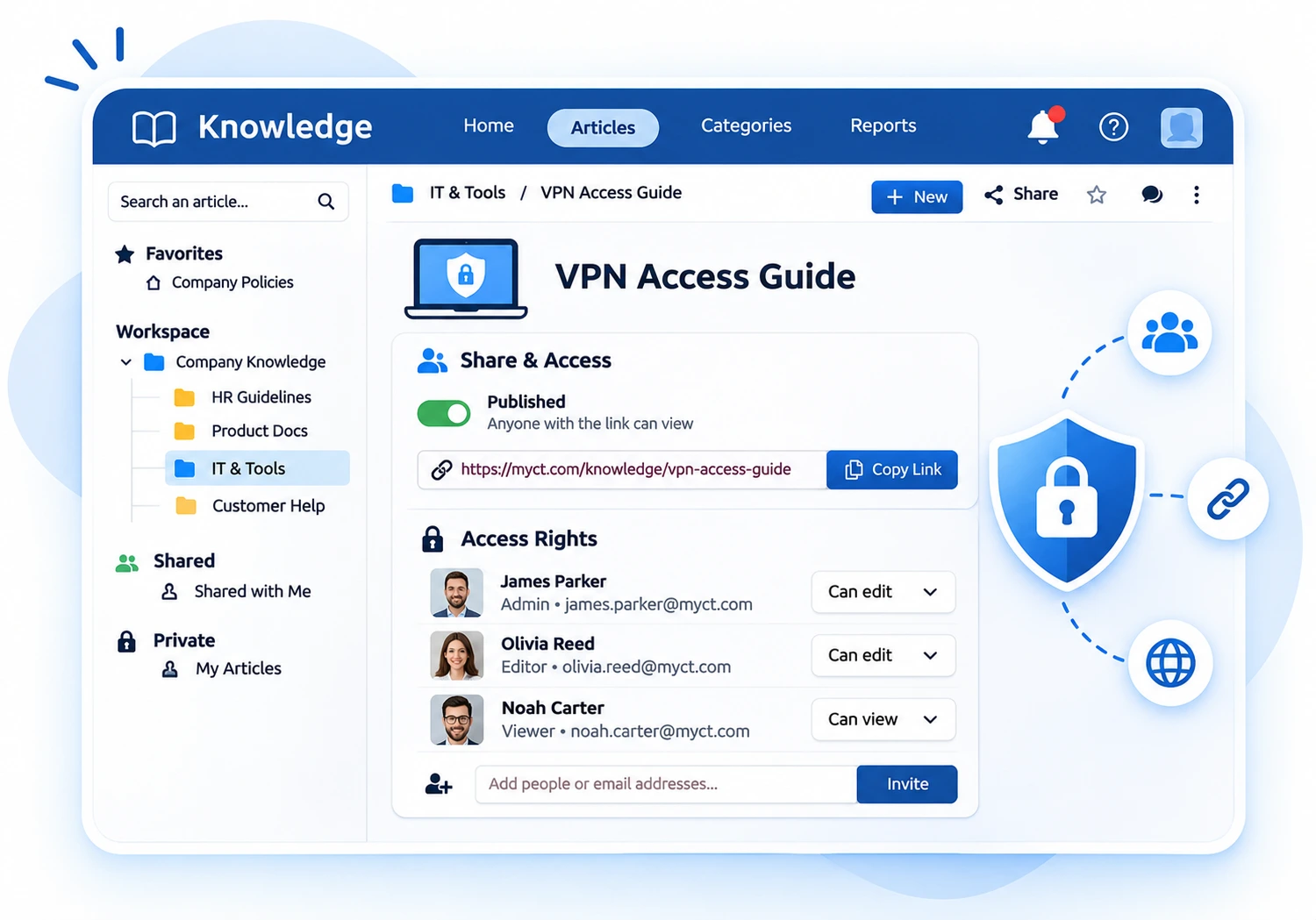
Who gets access? You decide!
Choose who sees and manages your content. You can even share a page with the world.
From Scattered Documents to One Searchable Hub
Scattered documents waste time and reduce productivity. A central knowledge base gives everyone quick answers.
The challenges
Without a knowledge base
- Hard-to-find resources
- Repeated questions
- Lack of consistency
- Knowledge loss
Our solution
With MYCT Knowledge
- Centralized access
- Easy search
- Updated content
- Self-service help
All the Features, Done Right
Everything your team needs to write, share and keep knowledge up to date.
Export as PDF
Download the view and information you need.
Collaboration
Work simultaneously on your content.
Autosave and revision history
Never lose your past and current work.
Role-based access
Choose who can read, edit and manage each article.
One Need, One App. Expand as You Grow.
Knowledge connects with the apps you already run, so pre-written content reaches customers, tickets and tasks in seconds.
Project
Link tasks and articles
CRM
Prepare personalized responses
Sales
Insert sales data
Helpdesk
Create public articles
From Scattered Files to a Living Knowledge Base
Four clear stages, from the first article to a team that finds answers on its own.
Step 1
Collect
Gather the documents, guides and answers your team and customers ask for.
Step 2
Structure
Organize pages into a clear tree, with custom fields, views and filters.
Step 3
Control
Choose who can see and manage each article, or share a page publicly.
Step 4
Launch
Go live, then link articles to Project, CRM, Sales and Helpdesk.
Benefits of Working with MYCT | Knowledge Services
- All your information in one searchable place
- Articles, FAQs and guides for staff and customers
- Flexible structure with custom views and filters
- Clear access rights for every page
- Setup help and long-term support
Our Approach to Knowledge Setup
We start with where your information lives today: shared drives, chats and personal notes. Then we build the article structure, set access rights and train your team to keep content current, so answers are easy to find from day one.
Knowledge Questions, Answered
Yes. Type / in the editor to add headings, tables, checklists and images, and bring in data from your business apps.
Yes. Your team can work on the same content simultaneously, with autosave and revision history so nothing is lost.
Yes. Choose who can see and manage content, and even share a page with the world.
Yes. Link articles to tasks in Project, prepare responses in CRM, insert data in Sales and create public articles in Helpdesk.
Yes. We structure your knowledge base, set access rights and support your team after launch.