








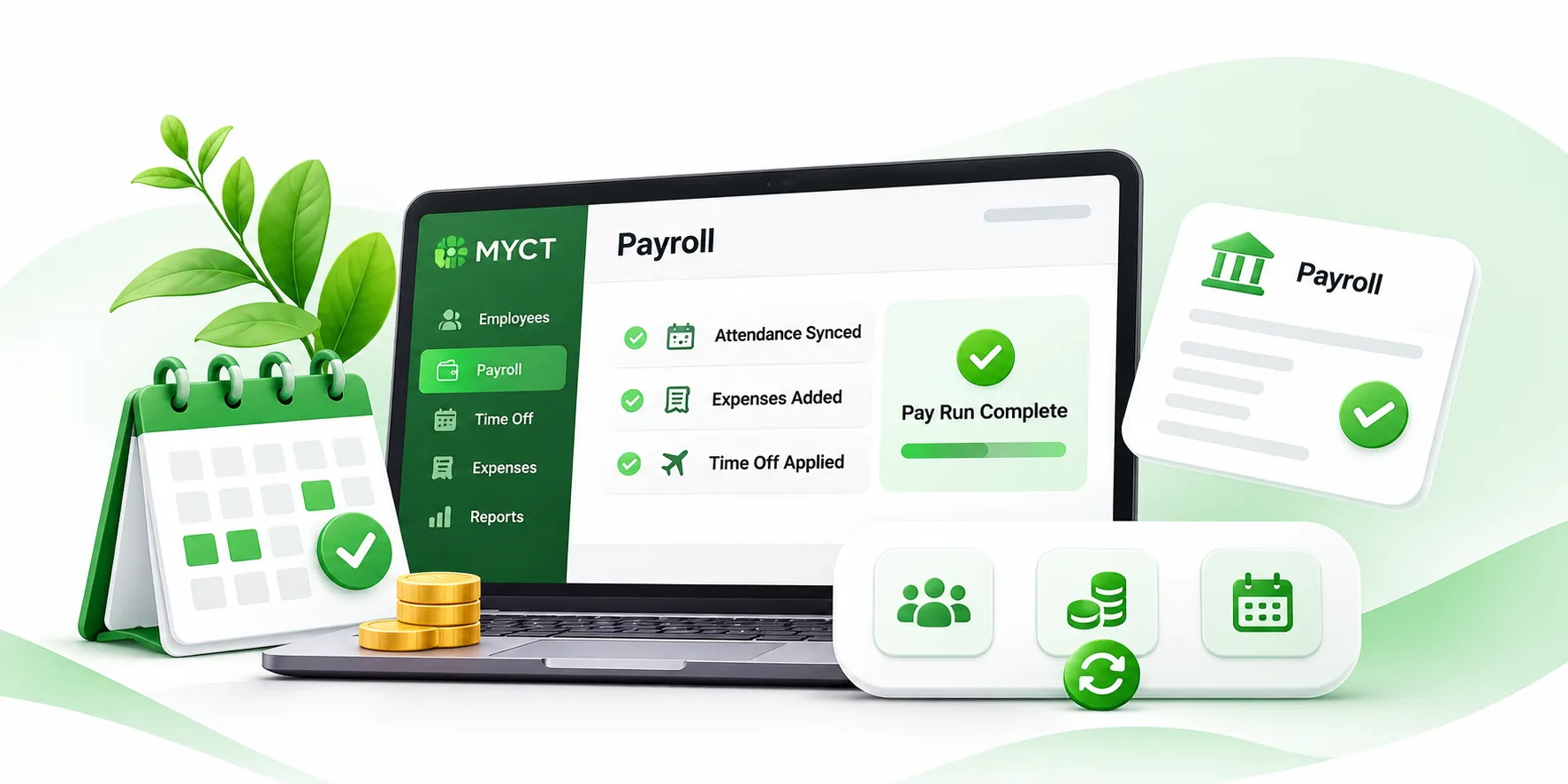
Payroll – One Pay Run, No Reconciliation
MYCT Payroll syncs attendance, expenses and time off across all your apps to deliver flawless paychecks automatically.
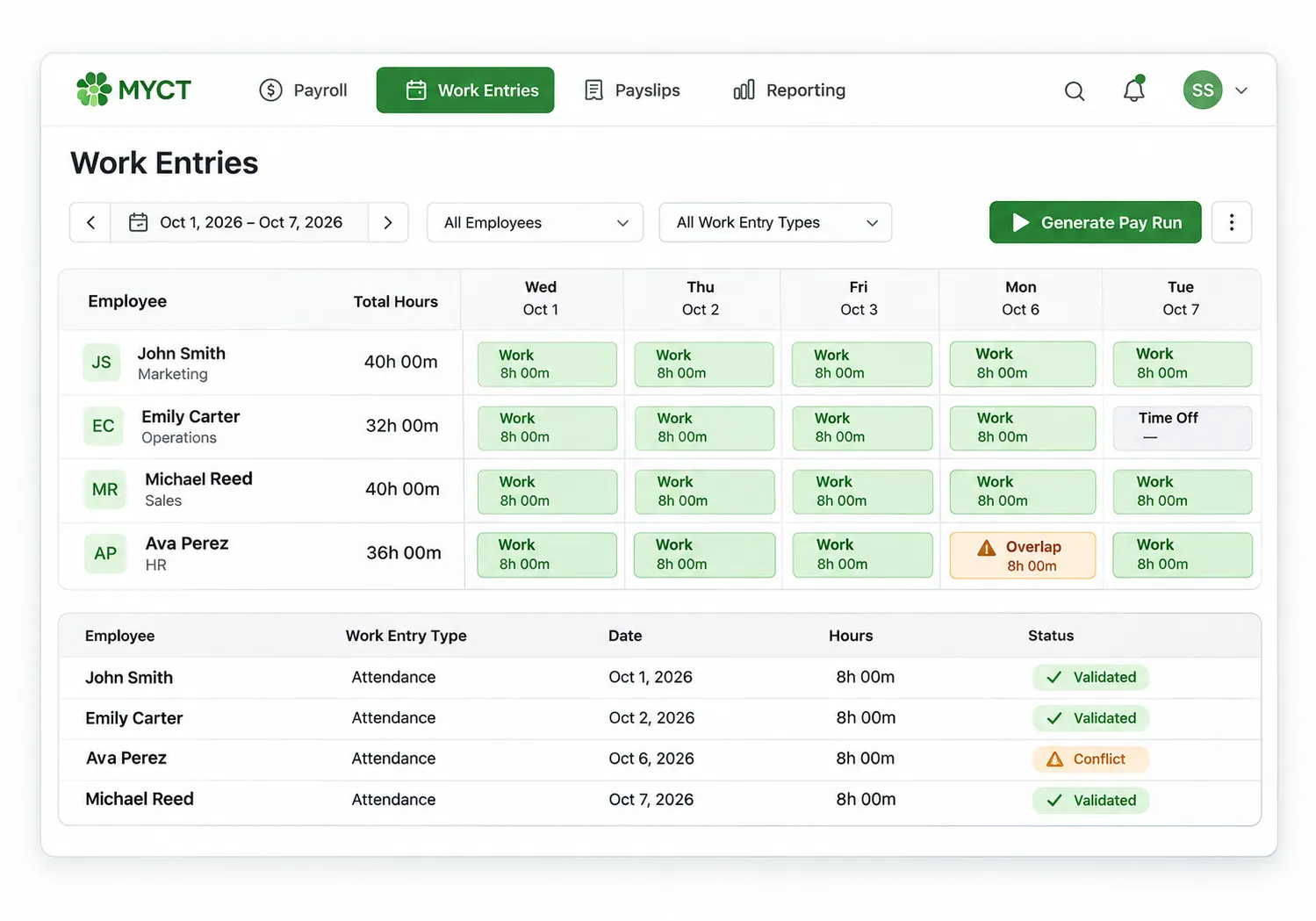
Review work entries before payroll runs
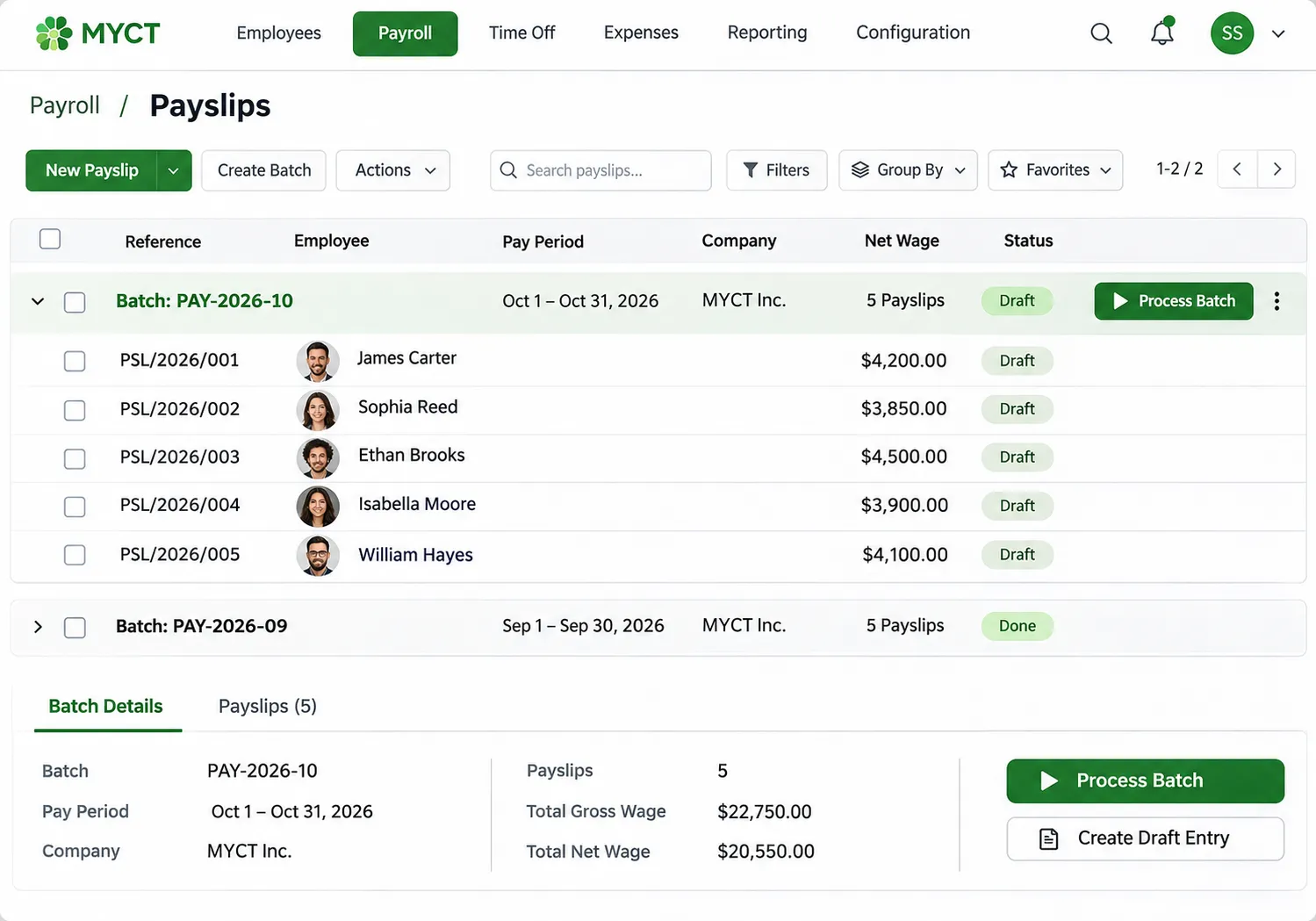
Process payslips individually or in groups
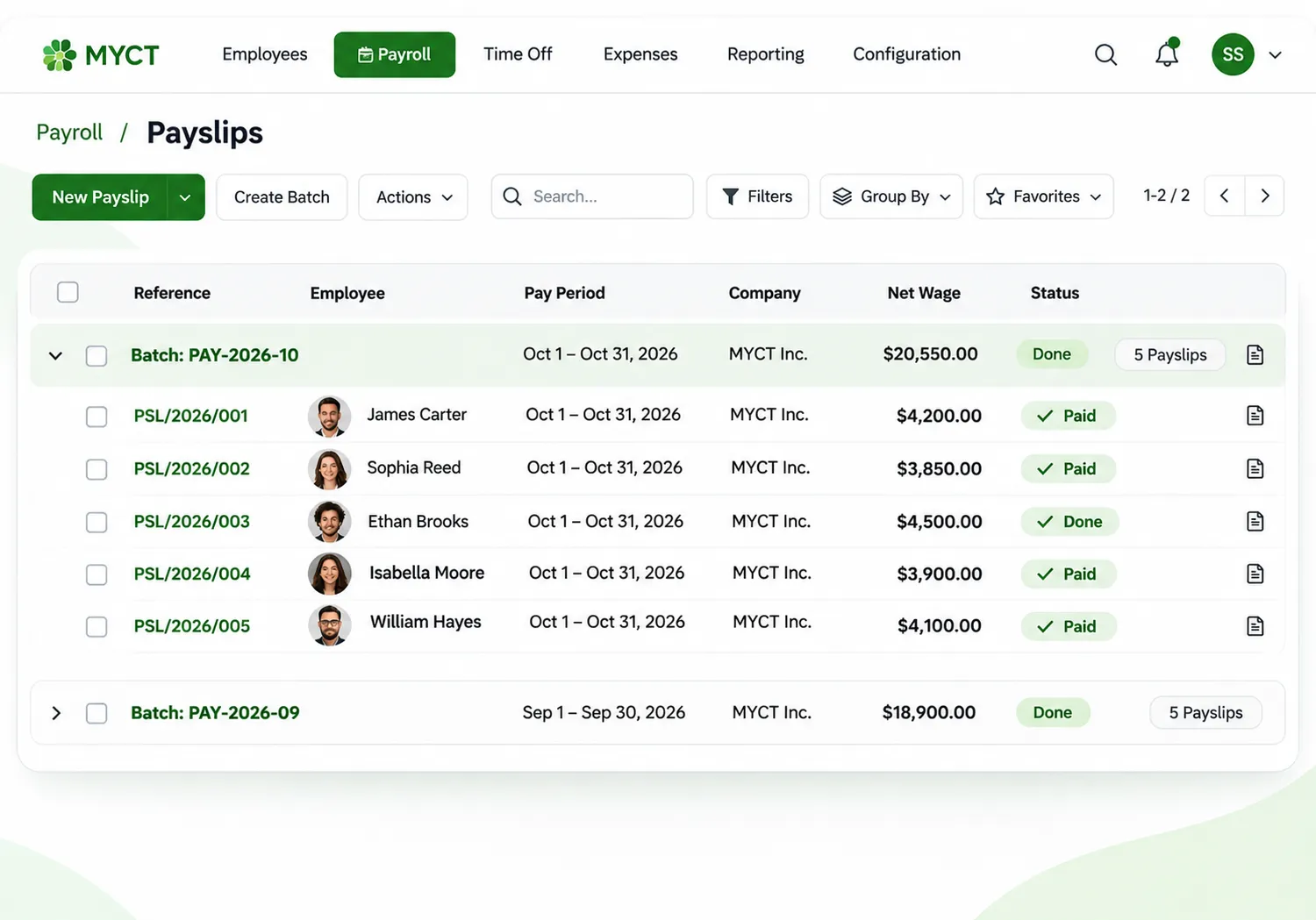
Track payslips from Done to Paid
AI Assistant included
Payslips for the US and India, on request.
Name the employee and the month. The Assistant drafts and computes the payslip from their salary structure, and shows your pay runs.
Just ask. Tap one to try it:
Your call. It never changes wages or salary rules, and payslips are validated only with your approval.
AI Assistant
PayrollFrom one sentence to a validated payslip
1
Say itType what you need, the way you’d say it to a colleague.
2
See itThe Assistant shows the payslip it computed from the salary structure on file.
3
Approve itOne click validates it. Changed your mind? Undo.
The Assistant works as you, with your permissions. It never sends an email, posts, pays or publishes without your approval. Employees, salaries and pay runs shown are demo data.
From Work Entries to Paid in Four Steps
Connect your team’s time data and run your first payroll without the guesswork.
01
Collect
Work entries come from attendance, planning or timesheets, per contract.
02
Calculate
The salary structure, rules and inputs turn worked time into pay.
03
Process
Create payslips individually or in groups and validate them.
04
Pay
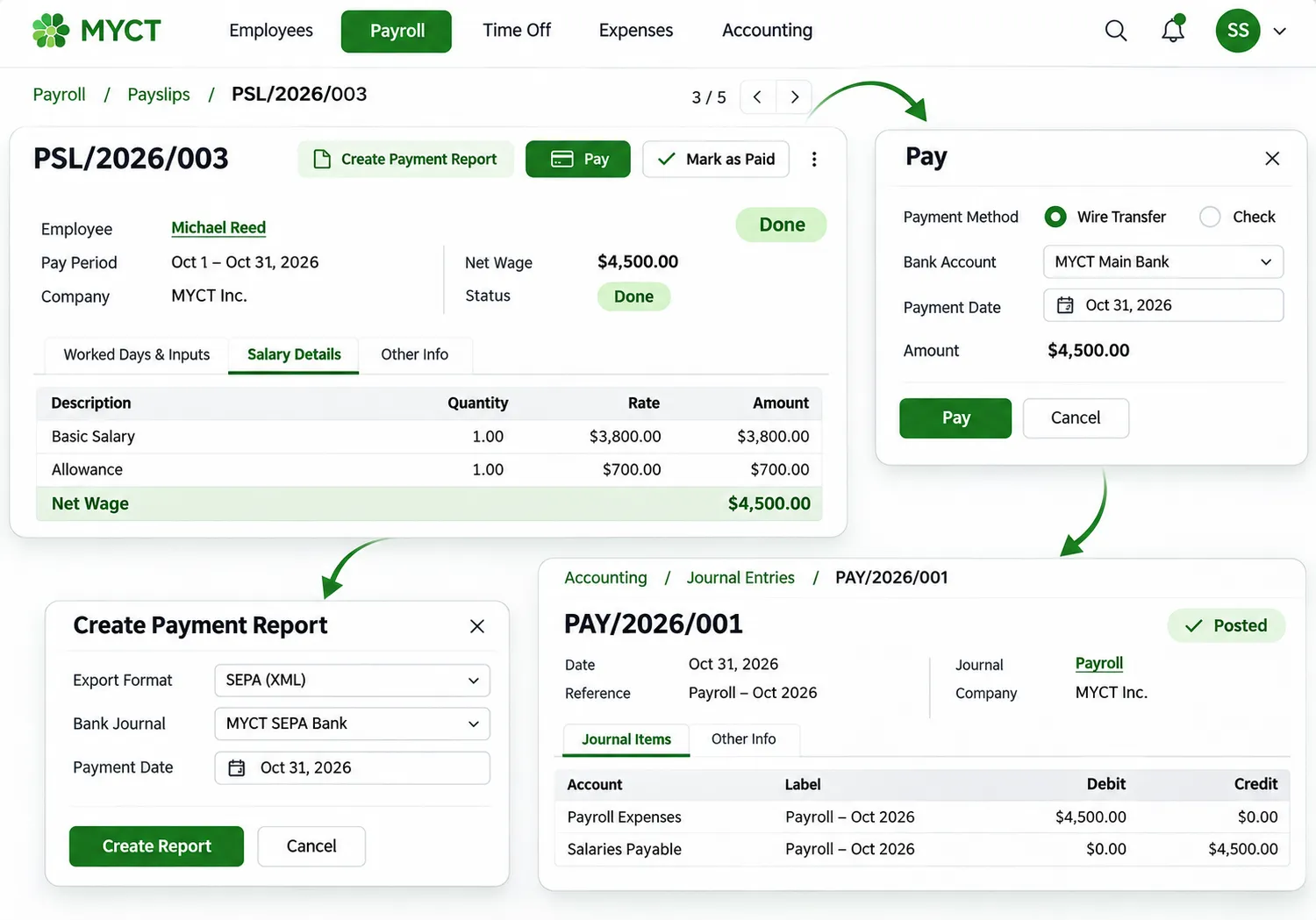
Pay by wire transfer or check, then mark payslips as paid.
How Every Payslip Is Calculated
Three building blocks turn worked time into accurate pay.
Work entries
Worked time is calculated from work entries, based on contracts and data from Attendances, Planning or Timesheets.
Structures and rules
The employee’s structure type, rules and parameters determine total pay, monthly or hourly.
Other inputs
Add tips, commissions, expenses or deductions for specific circumstances.
Payments
Pay Your Team, Your Way
From validated payslip to paid employee
Validate payslips, then pay by wire transfer or check and mark them as paid. Post payroll entries in accounting and create SEPA payments when you need them.
Benefits of Working with MYCT | Payroll
- Accurate payslips from worked time
- Salary structures and rules
- Pay runs for whole teams
- Local rules and taxes via localizations
- Clear status from Done to Paid
Our Approach to Payroll Setup
We start with your pay schedule, contracts and salary rules. Then we connect your time and attendance data, configure your structures and inputs, and train your payroll team so your first pay run goes smoothly.
Highlights of Our Timesheet App
Everything a billable team needs, built into one platform.
Work entries
Resolve conflicts before payroll is processed.
Salary structures
Employee and Worker structure types, monthly or hourly.
Salary rules
Rules and parameters calculate each employee’s pay.
Other inputs
Add tips, commissions, expenses or deductions.
Pay runs
Process payslips for a group of employees at once.
Local compliance
Country localizations follow local rules and taxes.
Accounting entries
Post payroll entries in accounting.
Payroll warnings
See possible payroll issues on the dashboard.
Built to Fix Payroll Headaches
Manual payroll is slow and easy to get wrong. Here is what we solve.
Manual Calculations
Pay worked out by hand, every cycle
Pay Errors
Mistakes in pay and deductions
Disconnected Data
Time and leave data scattered
Unclear Status
No clear view of what is paid
Payroll Questions, Answered
Work entries are created according to employee contracts, based on information from Attendances, Planning or Timesheets.
Yes. Payslips can be created individually or in groups, and processed together in a pay run.
Yes. Other inputs such as tips, commissions, expenses and deductions can be added to payslips.
Country localizations are available for supported countries so payslips follow local rules and taxes.
Yes. Contact MyCommunity.Today and our team will help you get started.