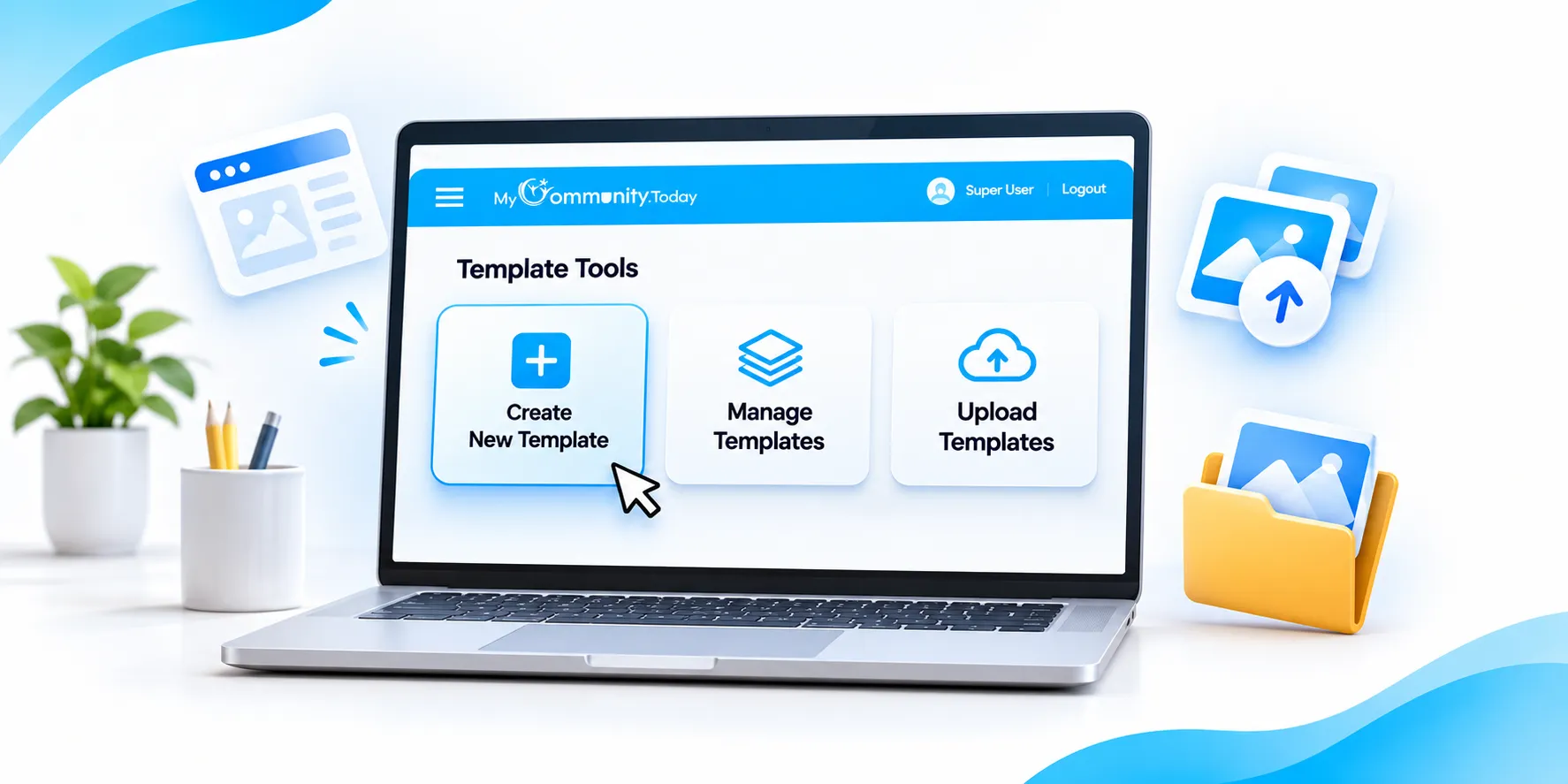
Template Management - Design Templates Smarter
Build, Upload & Manage in One Place
Build business templates with a drag & drop builder, organise them by category and preview every change live – built for teams that want to launch faster without the admin.
- Drag & drop builder
- Live phone preview
- Category ready
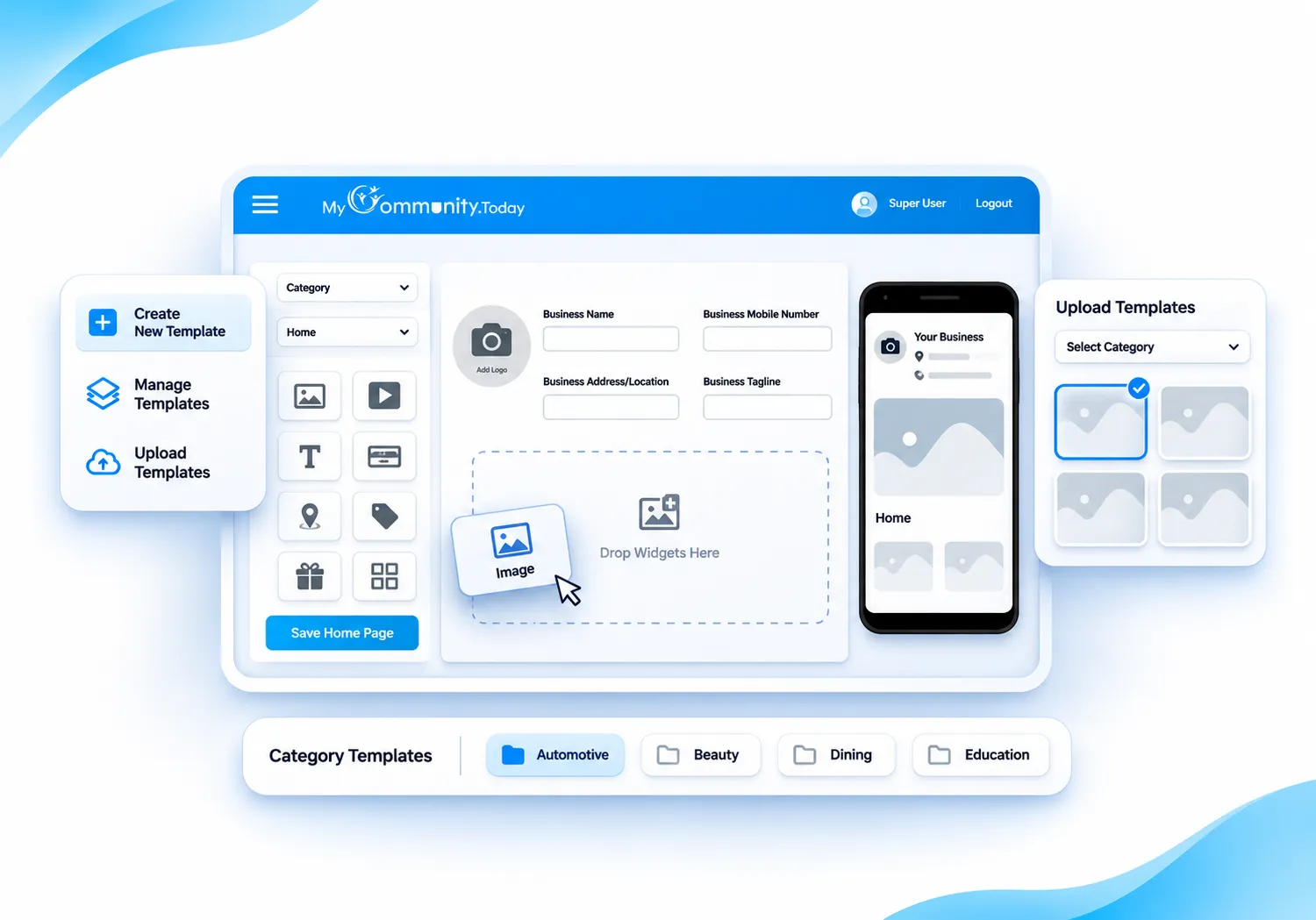
Create
Design new templates with ready widgets
Manage
Edit and organise every existing template
Upload
Bulk upload images into any category
Preview
See each template on a live phone view
Start from the right template every time.
Ask which templates you have, start a page or message from one, or copy one to make your own.
From one sentence to the right starting point
The Assistant works as you, with your permissions. It never sends an email, posts, pays or publishes without your approval.
Managing Templates by Hand Slows You Down
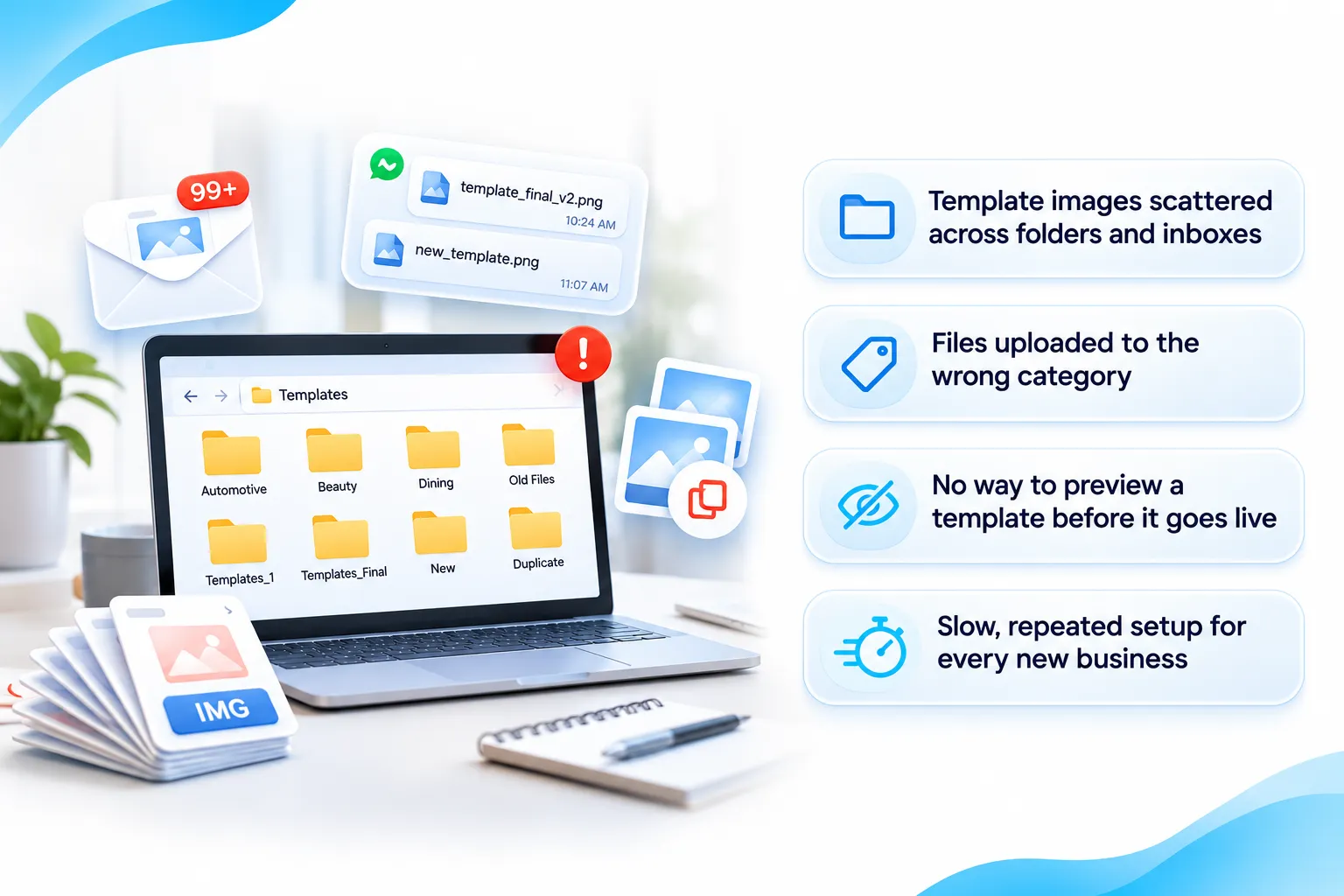
Keeping template images, categories and layouts in folders and chat threads leads to duplicates, wrong files and late launches. Without one clear workspace, growing template libraries lose time and consistency every week.
- Template images scattered across folders and inboxes
- Files uploaded to the wrong category
- No way to preview a template before it goes live
- Slow, repeated setup for every new business
One Platform. Every Template Tool.
Our template management tool brings creating, managing and uploading together, so every team works from the same organised library. Save hours, reduce errors and launch templates with confidence.
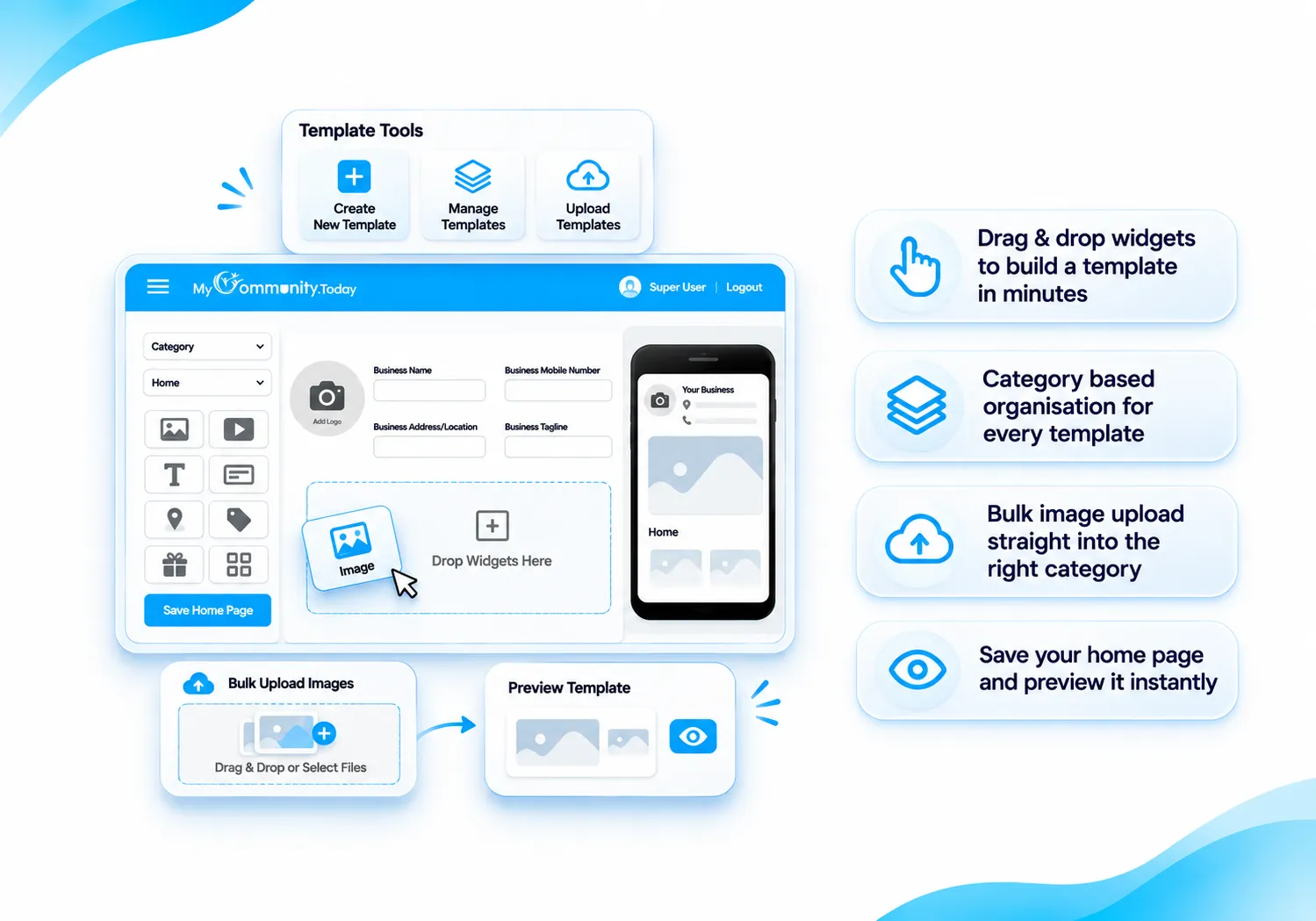
- Drag & drop widgets to build a template in minutes
- Category based organisation for every template
- Bulk image upload straight into the right category
- Save your home page and preview it instantly
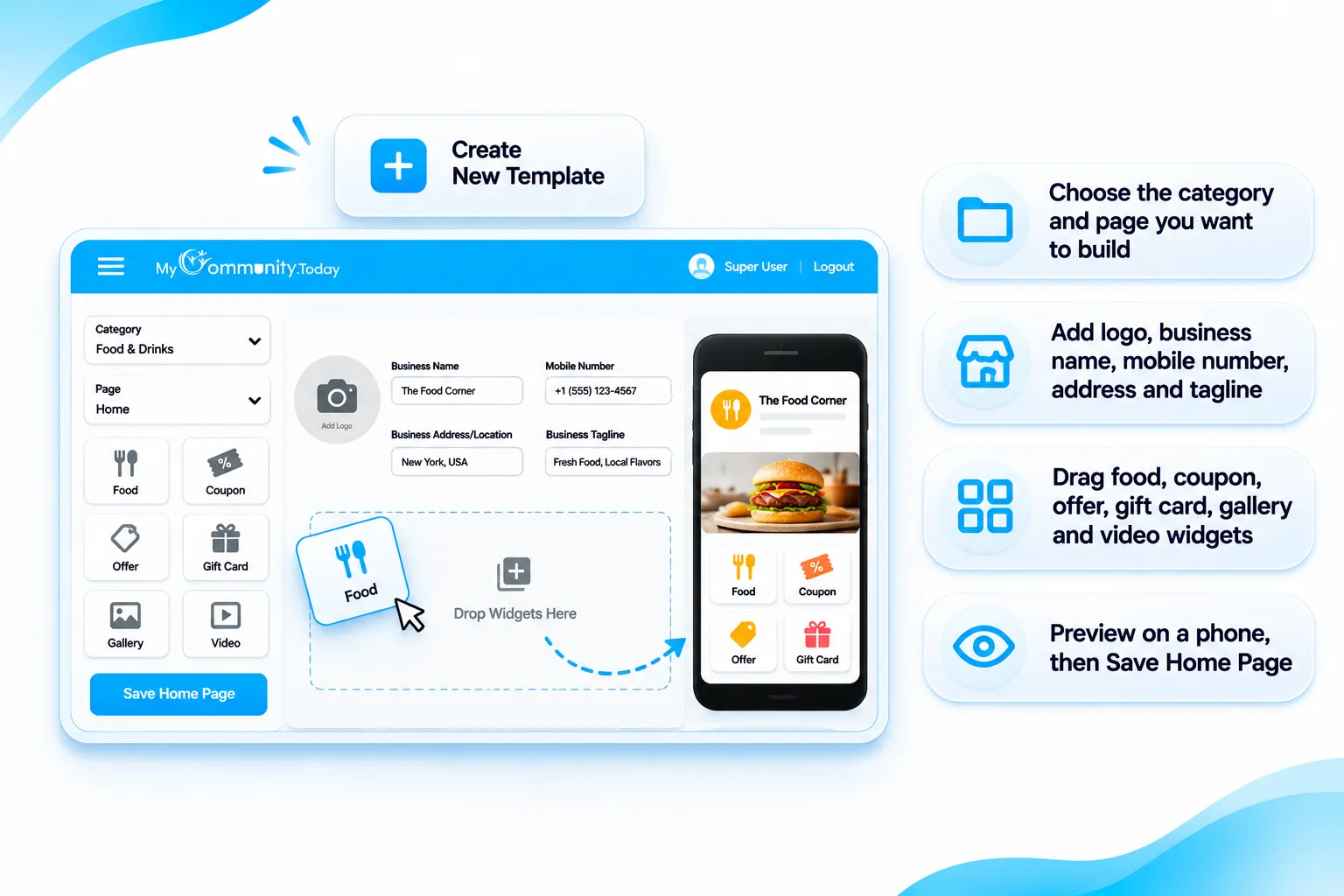
Build a Template in Minutes
Open Create New Template, choose a category and page, add your business details and drop in the widgets you need. Every change shows instantly on the phone preview.
- Choose the category and page you want to build
- Add logo, business name, mobile number, address and tagline
- Drag food, coupon, offer, gift card, gallery and video widgets
- Preview on a phone, then Save Home Page
Upload Images Straight Into a Category
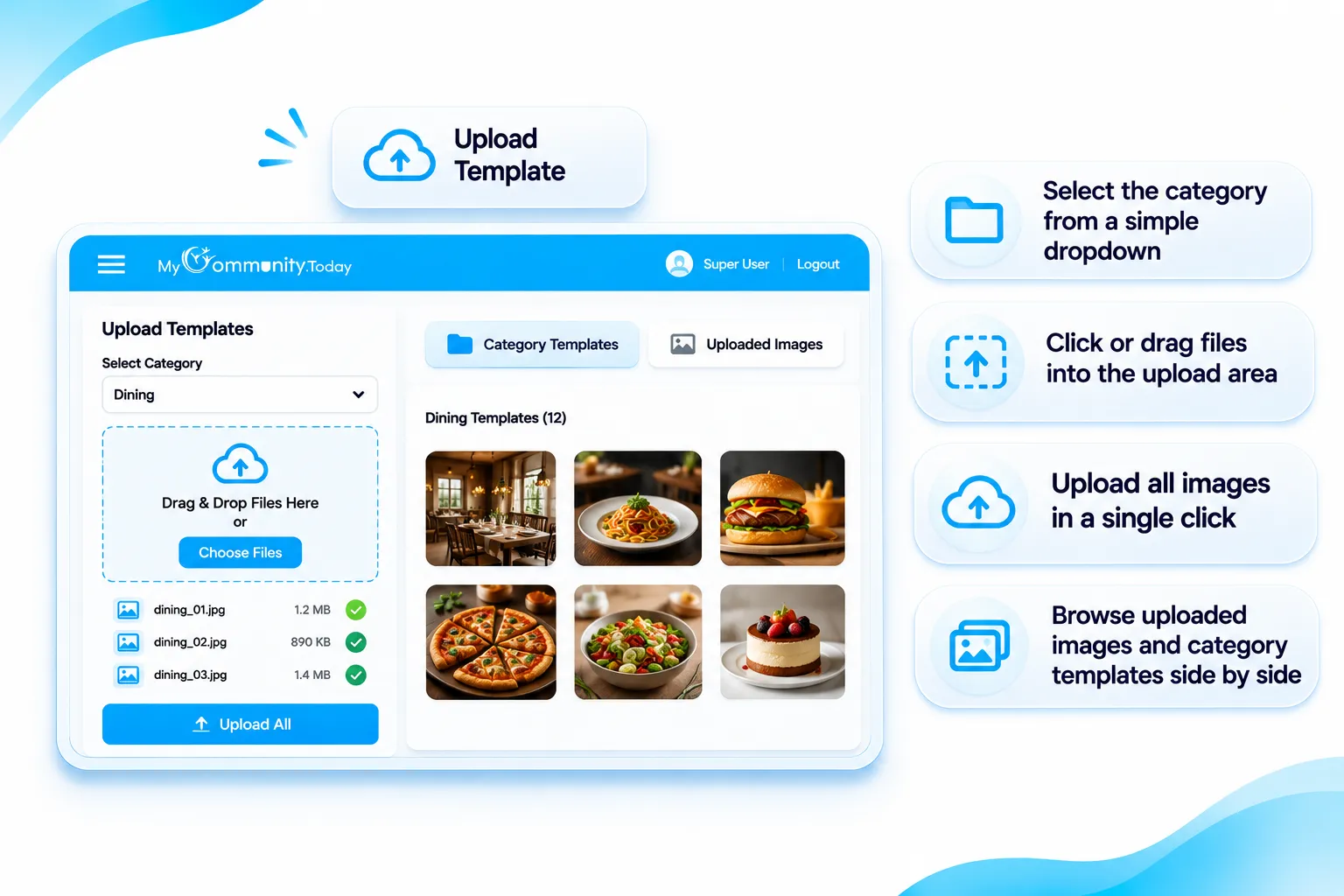
Open Upload Template, select a category and add your images by click or drag and drop. Upload them all at once and see them appear with the category templates.
- Select the category from a simple dropdown
- Click or drag files into the upload area
- Upload all images in a single click
- Browse uploaded images and category templates side by side
Watch How the Template Tools Work
Take a quick walkthrough of the tools and see how creating, uploading and managing templates work together in one place.
Everything You Need to Manage Templates
Powerful tools that work together, so you spend less time on setup and more time launching.
Create New Template
Design custom templates with a business profile and ready widgets.
Drag & Drop Widgets
Add food, coupons, offers, gift cards, galleries and video by dropping widgets in.
Business Profile Fields
Add logo, business name, mobile number, address and tagline once.
Live Phone Preview
See every change instantly on a phone preview before you save.
Upload Templates
Pick a category and upload images by click or drag and drop.
Manage Templates
View, organise and update your existing templates by category.
From First Search to Updated Profile
Four simple steps from finding a user to keeping every record current.
Choose a Category
Pick the category and page you want to build.
Drag Widgets
Drop widgets and add your business details.
Preview Live
Check the result instantly on the phone preview.
Save & Manage
Save the page and manage or upload more templates anytime.
One Screen. Every Template Tool.
Start from one simple page, then create, manage or upload templates in a single click.