








Planning – Smarter Staff Planning
Plan shifts, assign the right people and keep everyone in the loop, all from one schedule.
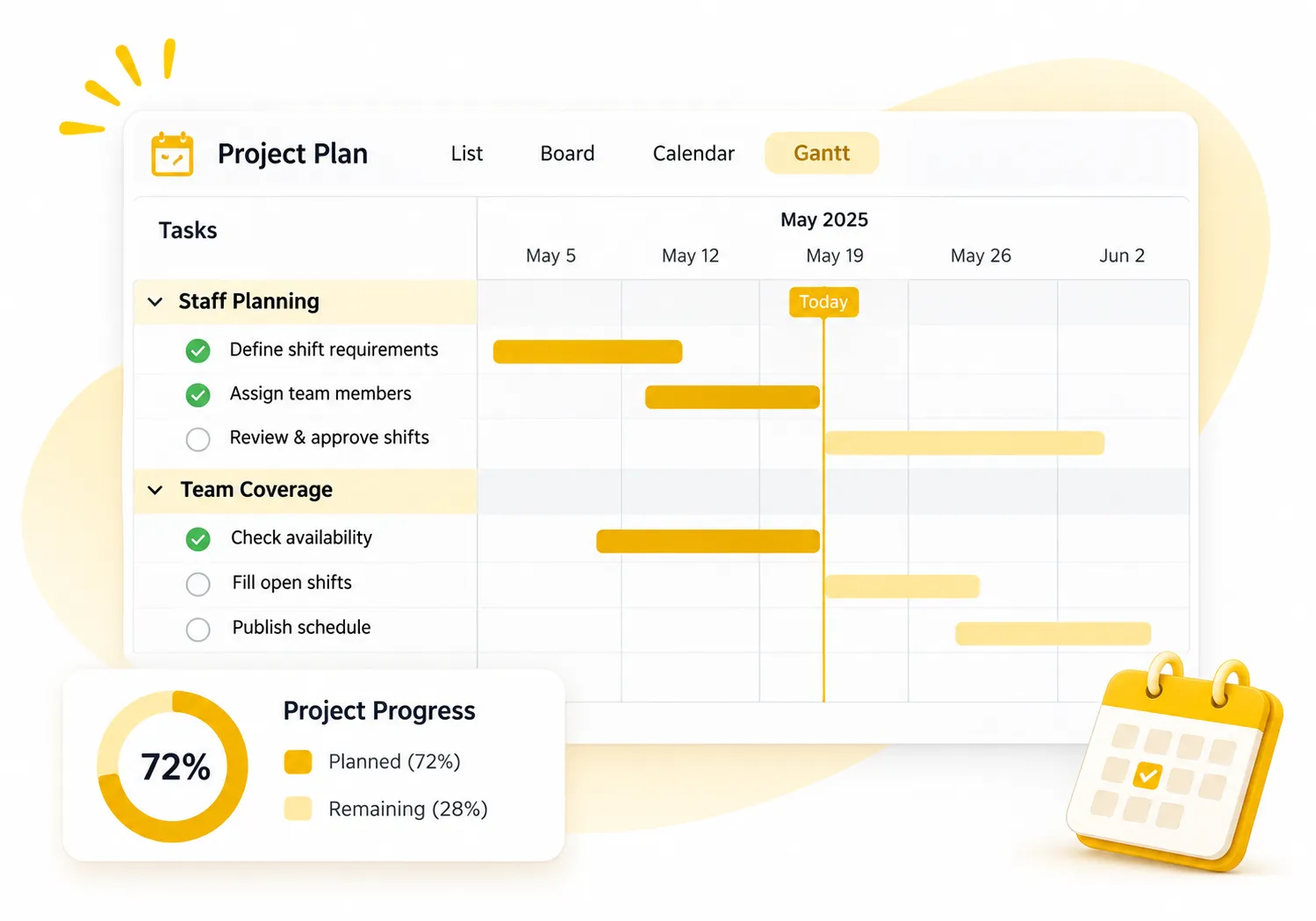
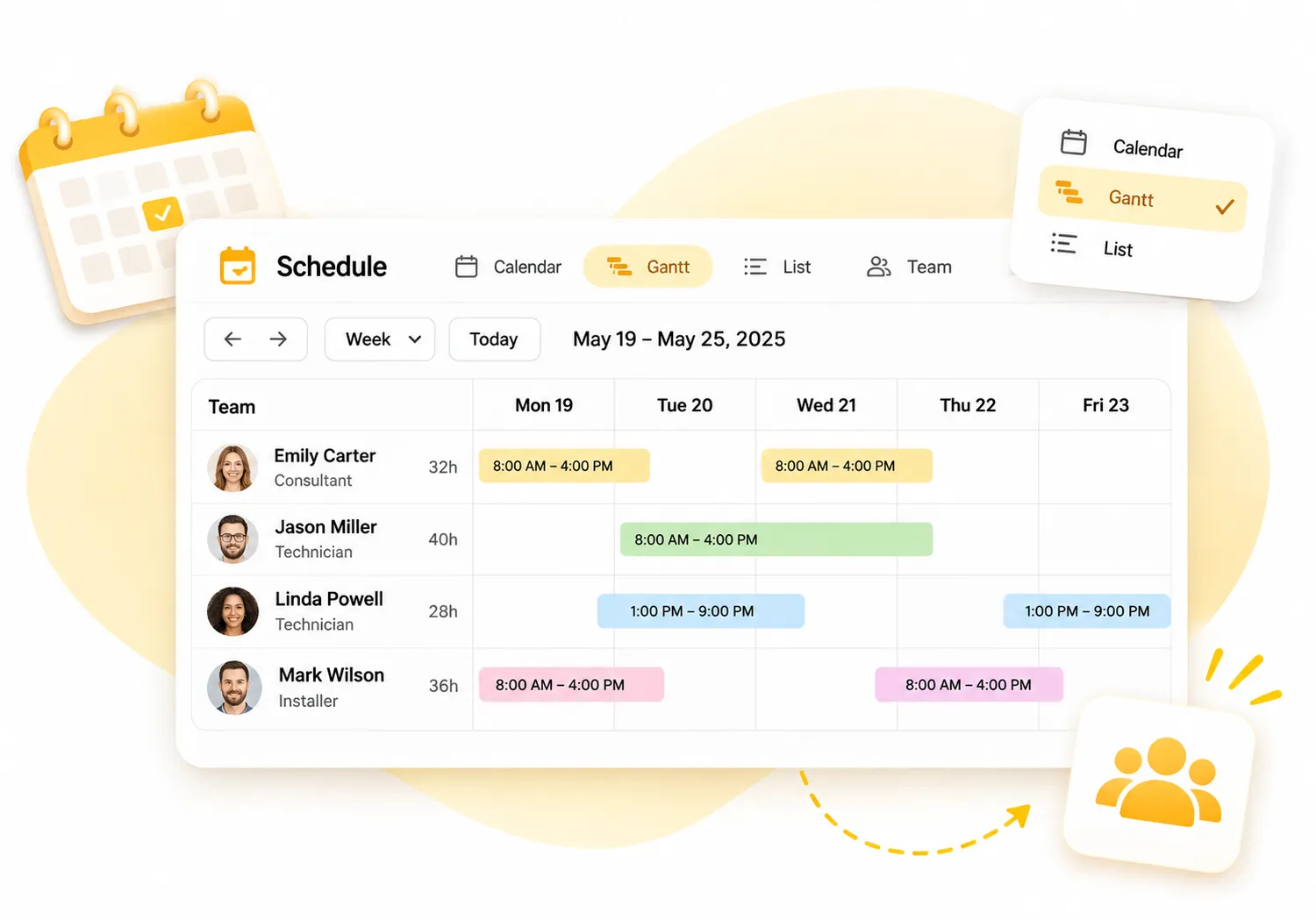
See what is planned and what remains in a Gantt view
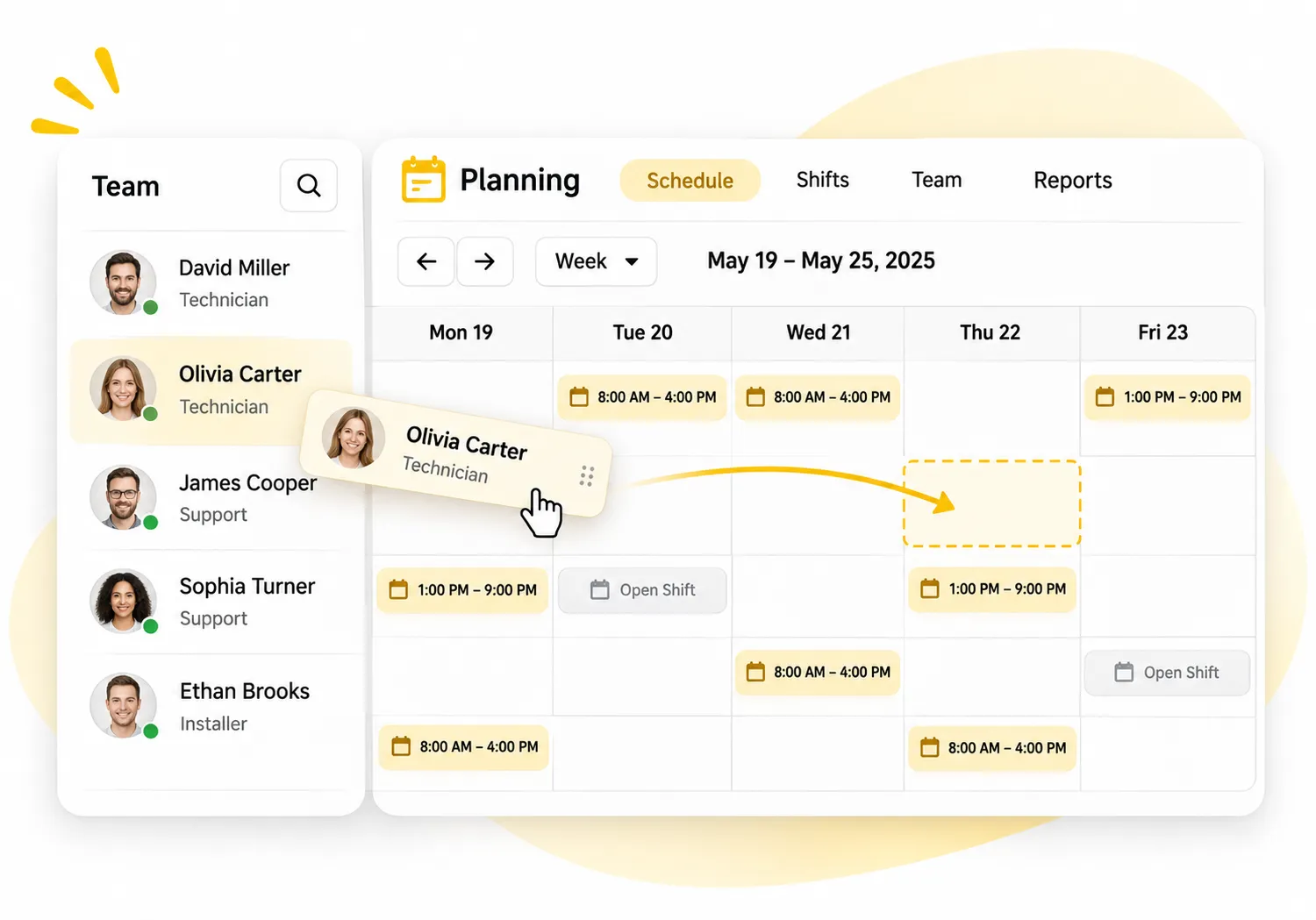
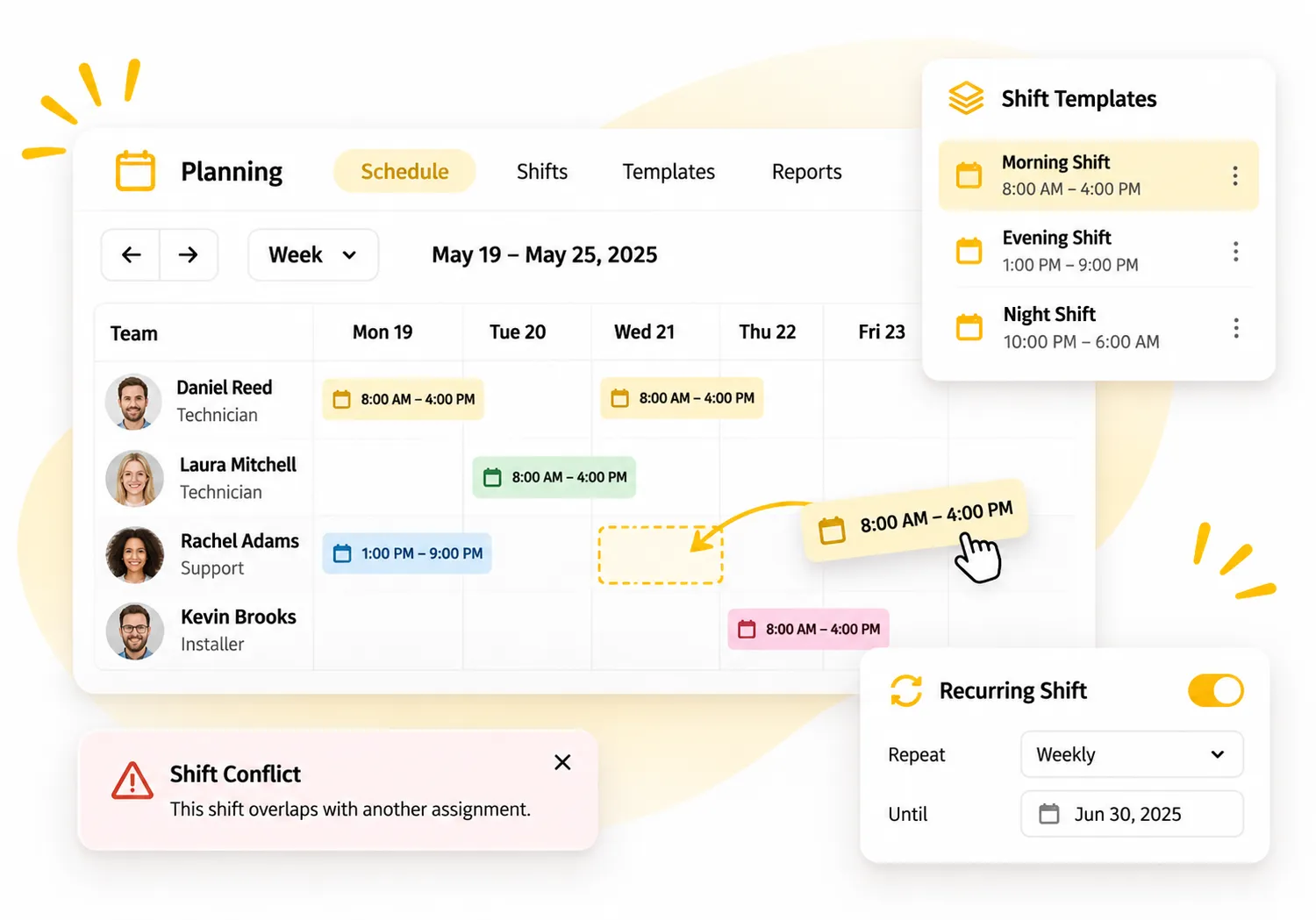
Leave shifts open, then assign them by drag and drop
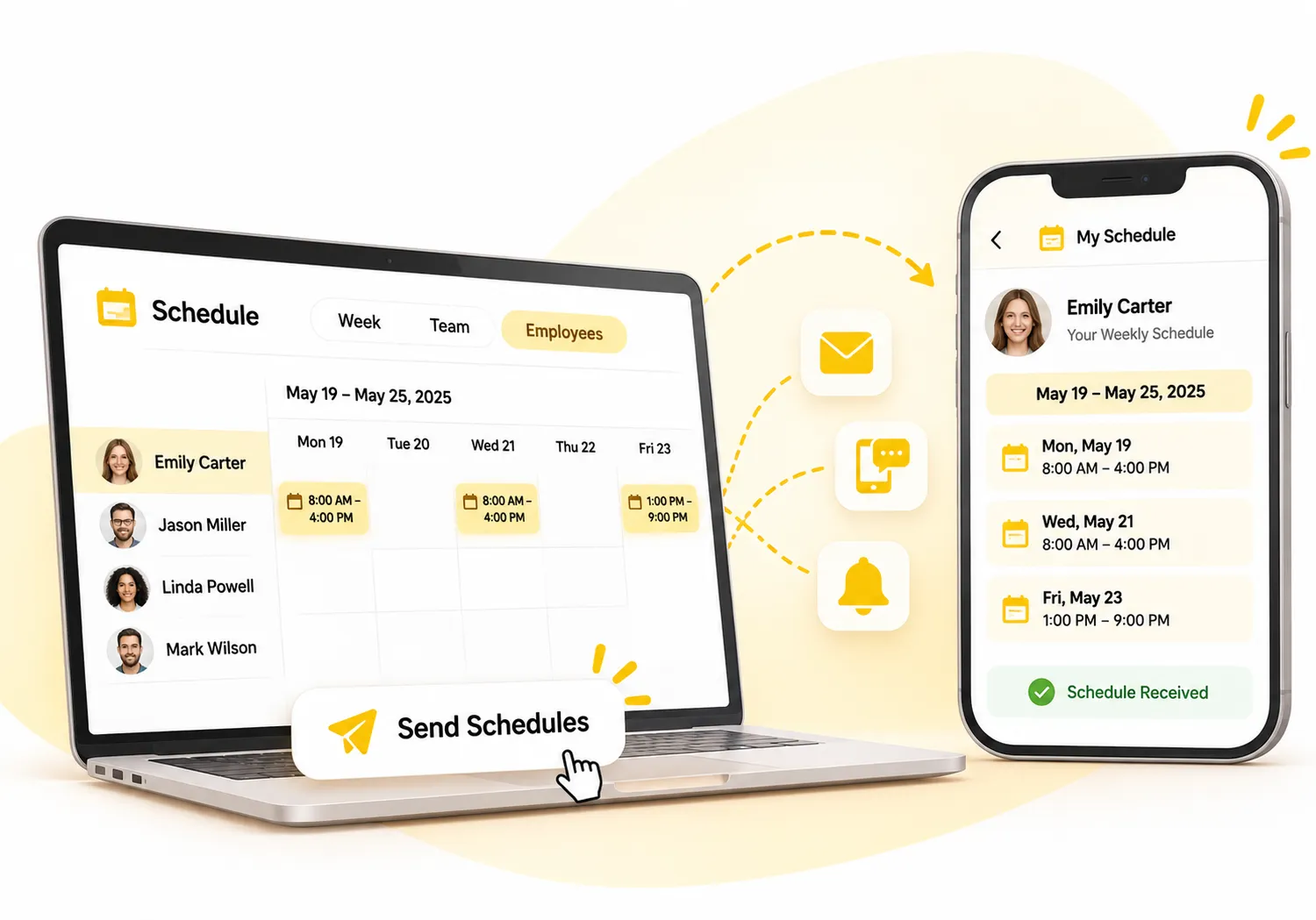
Send every employee their own schedule
AI Assistant included
Tell it the forecast. It sets the plan.
Say what you expect to sell. The Assistant puts the product on your production schedule, with the demand for each period.
Just ask. Tap one to try it:
Your call: launching replenishment stays with you.
AI Assistant
Production PlanningFrom one sentence to a scheduled product
1
Say itWe expect to sell 60 Garden Tables in December
2
See itScheduleGarden TableDecember forecast 60
3
Approve itApprove
Plan Resources with Confidence
More than a calendar
Organize shifts by role, employee or project, spot conflicts early and let your team see their own schedule.
Schedule
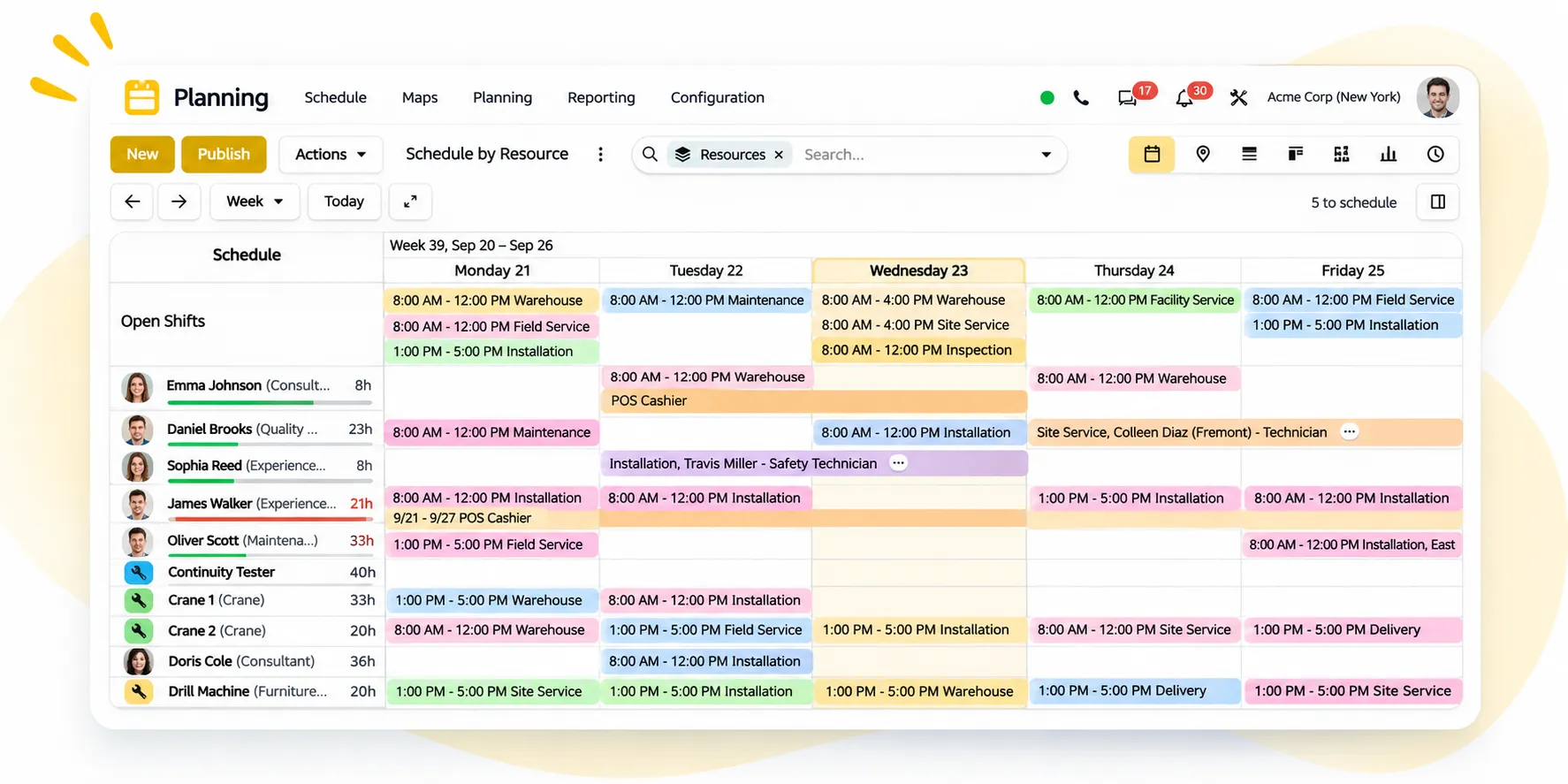
See your whole plan at a glance
- Organize shifts by role, employee or project
- Gantt view of what is planned and what remains
- Switch to calendar or list views
- Group the schedule your way
Shift management
Create shifts in a few clicks
Reuse what already works, and get warned before two shifts collide.
- Open shifts, assigned by drag and drop
- Shift templates for new shifts
- Recurring shifts instead of manual entry
- Copy the previous week and adjust
- Conflict warnings for overlapping shifts
Employee portal
Put your team in the loop
Send the schedule
Send each employee their own schedule.
Personal portal
Employees view and manage their schedule on a portal.
Claim or release shifts
Employees can unassign themselves, or take open shifts in the portal or app.
From First Shift to Full Report in Four Steps
No complex setup. Create, assign, send and analyze.
01
Create
Add shifts using templates, recurrence or last week’s plan.
02
Assign
Pick employees, or leave open shifts and watch for conflicts.
03
Send
Send schedules so employees can view, release or claim shifts.
04
Analyze
Review allocated, billable and remaining hours.
Benefits of Working with MYCT | Planning Services
- Balanced workloads across your team
- Fewer scheduling conflicts
- Clear view of who works when
- Employees who manage their own shifts
- Setup help and long-term support
Our Approach to Planning Setup
We start with how you schedule people today: the roles, the shifts and the rules. Then we set up your templates and recurring shifts, and show your managers and employees how to use them, so your first week runs smoothly.
Highlights of Our Planning App
Everything you need to plan your team, built into one app.
Gantt schedule
See what is planned and what remains.
Open shifts
Assign by drag and drop.
Shift templates
Apply a template to new shifts.
Recurring shifts
Repeat shifts instead of typing them again.
Copy last week
Copy the previous week and adjust.
Conflict warnings
Get alerted to overlapping shifts.
Employee portal
Employees see and manage their schedule.
Planning analysis
Graphs and pivot tables, with export.
Built for Every Kind of Team
Fits alongside Project, Timesheets, Employees and Time Off.
Managers
Plan the week and fix conflicts
Employees
See shifts and claim open ones
Project Teams
Plan hours by project
HR Teams
Keep every role covered
Planning Questions, Answered
Yes. Leave shifts open, then assign them later by drag and drop.
Yes. Employees can assign themselves to open shifts in the portal or app.
Yes. The app shows a conflict warning when an employee has overlapping shifts.
Yes. Use recurrence, shift templates, or copy the previous week’s shifts and adjust them.
Yes. We set up your roles, templates and schedules, and support your team after launch.