








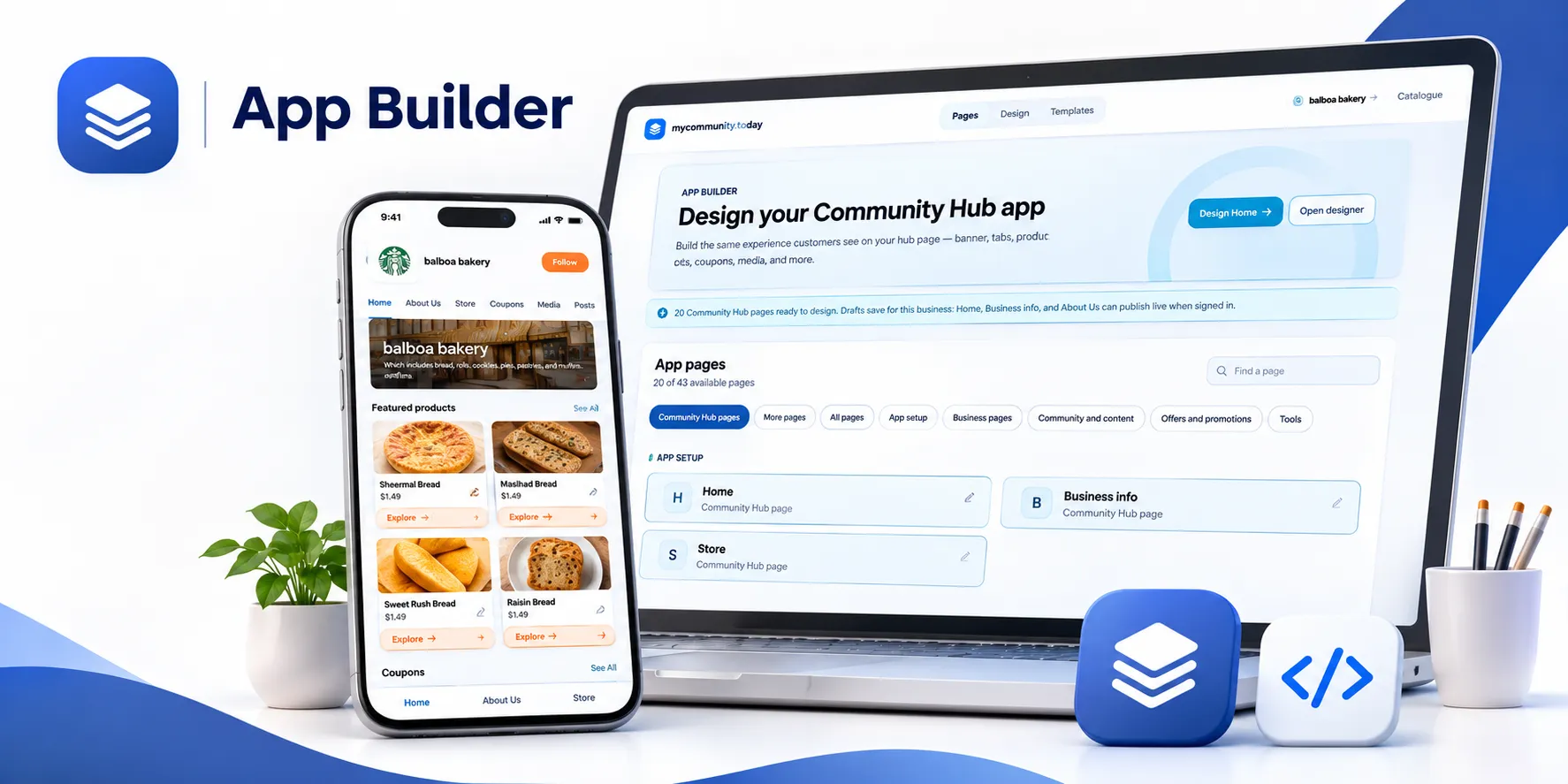
App Builder – Design Your Own Community Hub App
Build the app your customers see: banner, tabs, products, coupons, media and more. Preview it live, then publish when you’re ready.
For business owners
Every Business Gets Its Own App and Website Look
MYCT brings the businesses of your neighbourhood together in one app. With App Builder, each business decides what its customers see, from the banner at the top to the tabs at the bottom, and checks it in a live preview before going public.
40K+
neighbourhood businesses
43
pages available
13
section types
3–6
navigation tabs
5
banners per business
How Customers Find Your Business
From the MYCT app to your own hub in four taps.
Open MYCT
Customers open the MYCT app in their neighbourhood.
Browse categories
They browse businesses by category.
Tap your business
They tap your business card in the list.
Land in your hub
They see your banner, tabs, products, coupons and media, all designed by you.
Build Your App in Four Steps
A clear path from the first layout to a live app.
Step 1
Start
Pick a starting layout, such as Restaurant, then add your business name, address, logo and banners.
Step 2
Design
Set accent, background, text, font, corner radius and spacing, then choose your header buttons.
Step 3
Build
Add hub sections and pages, and arrange 3 to 6 navigation tabs.
Step 4
Publish
Preview on iOS, Android and Desktop, save a draft, then publish.
Pages · Design · Templates
Three Workspaces, One Builder
Everything lives in one tool, split into three tabs so each task stays simple.
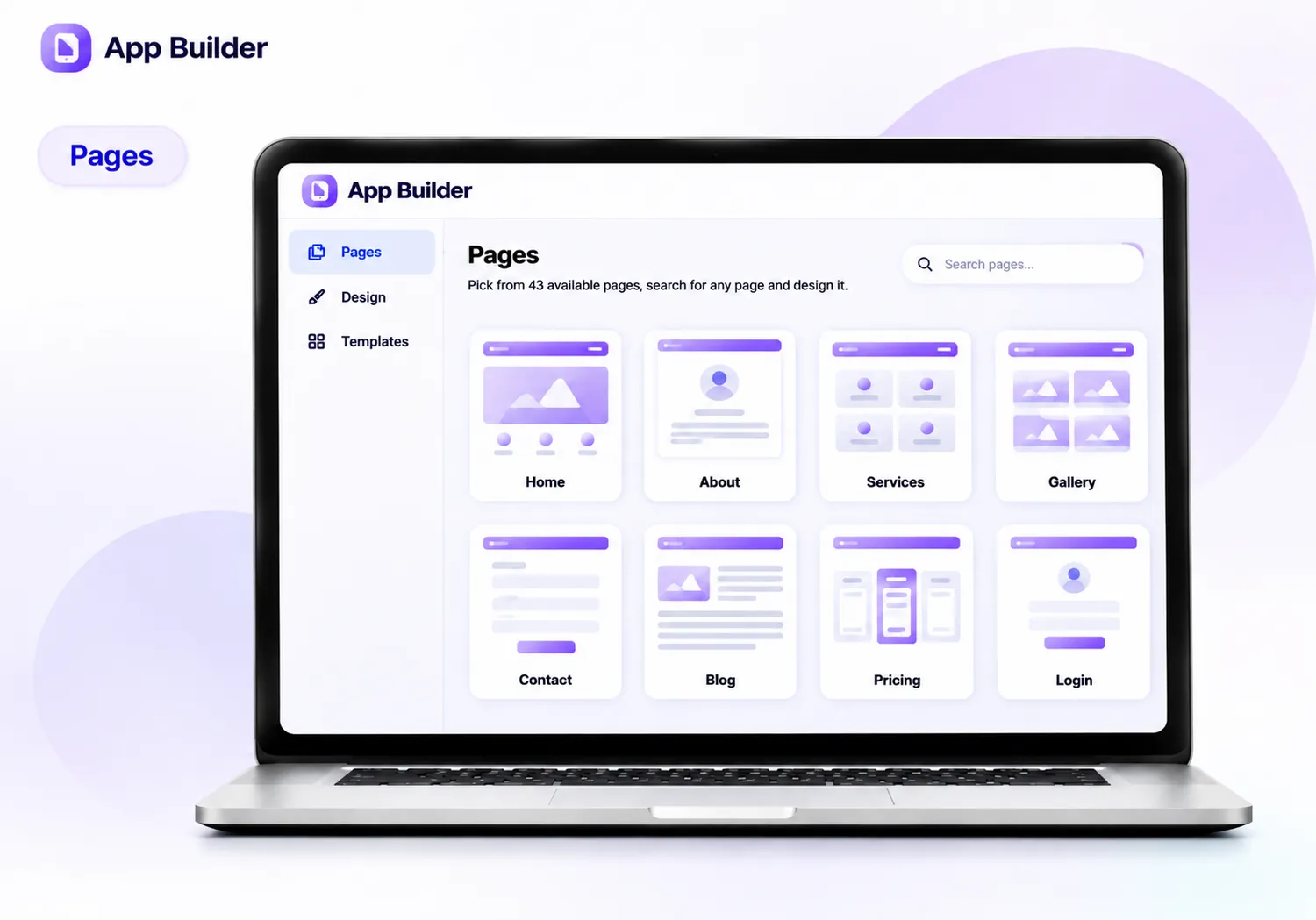
Pages
Pick from 43 available pages, find any page with search, and design each one.
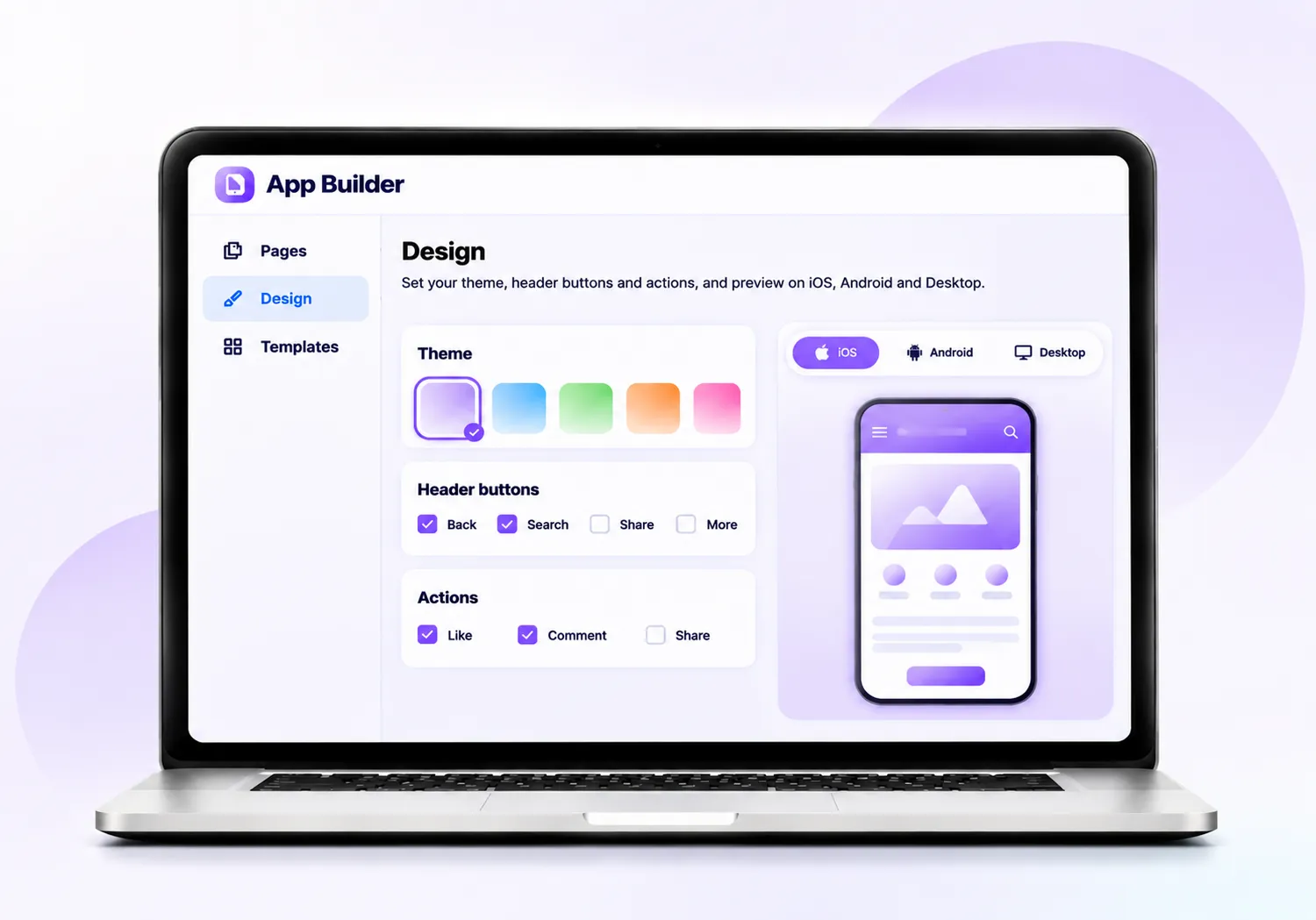
Design
Set your theme, header buttons and actions, and preview on iOS, Android and Desktop.
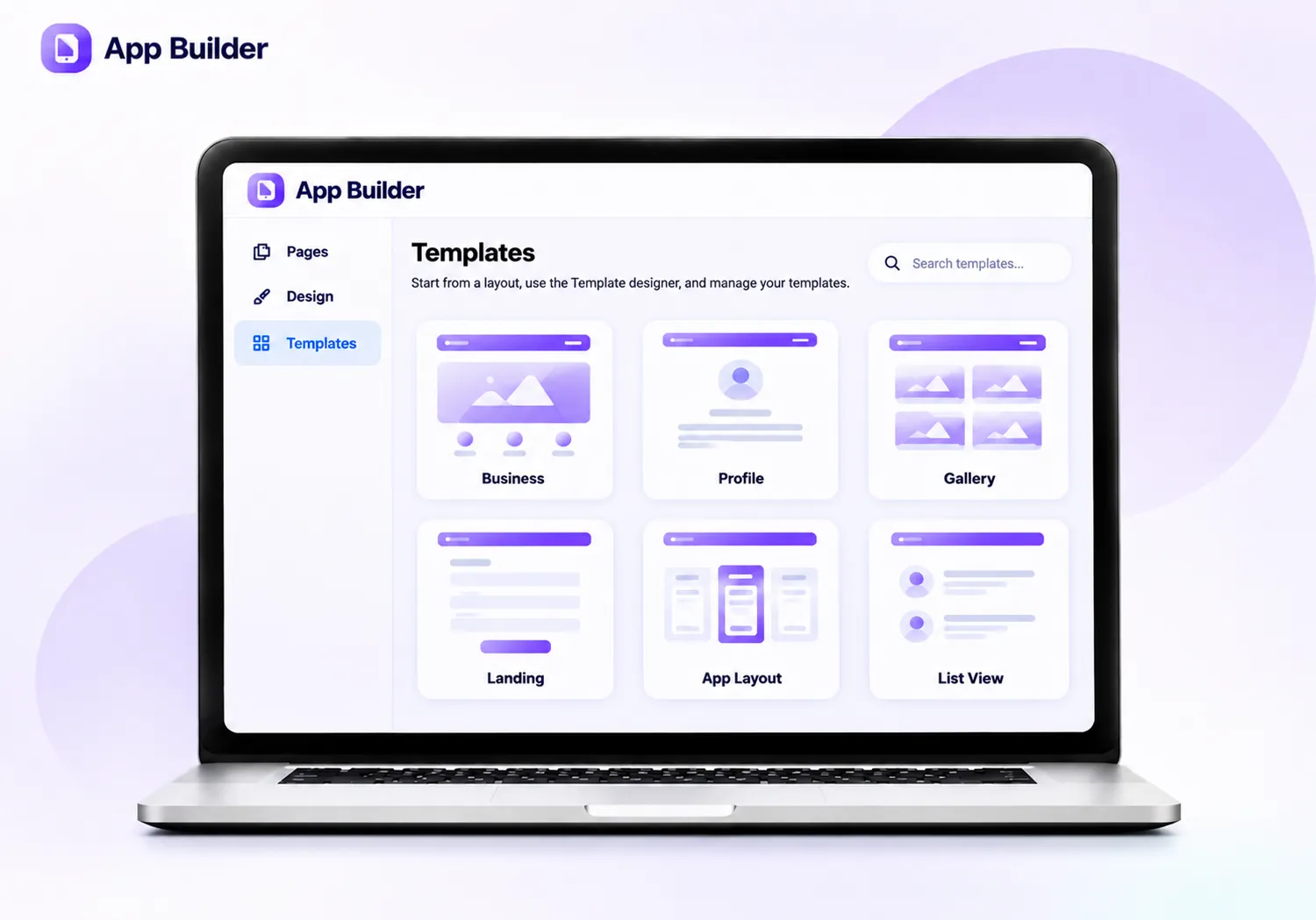
Templates
Start from a layout, use the Template designer, and manage your templates.
Customized for Each Business
Six areas every business controls on its own.
Brand details
Business name, logo, tagline, address and mobile number.
Banners
Up to 5 images or YouTube and Vimeo videos, with a title and description.
Theme
Accent, background and text colours, font, corner radius and section spacing.
Header actions
Each header button can open a link or page, call an API or run a function.
Navigation tabs
Keep 3 to 6 tabs, then reorder and rename them.
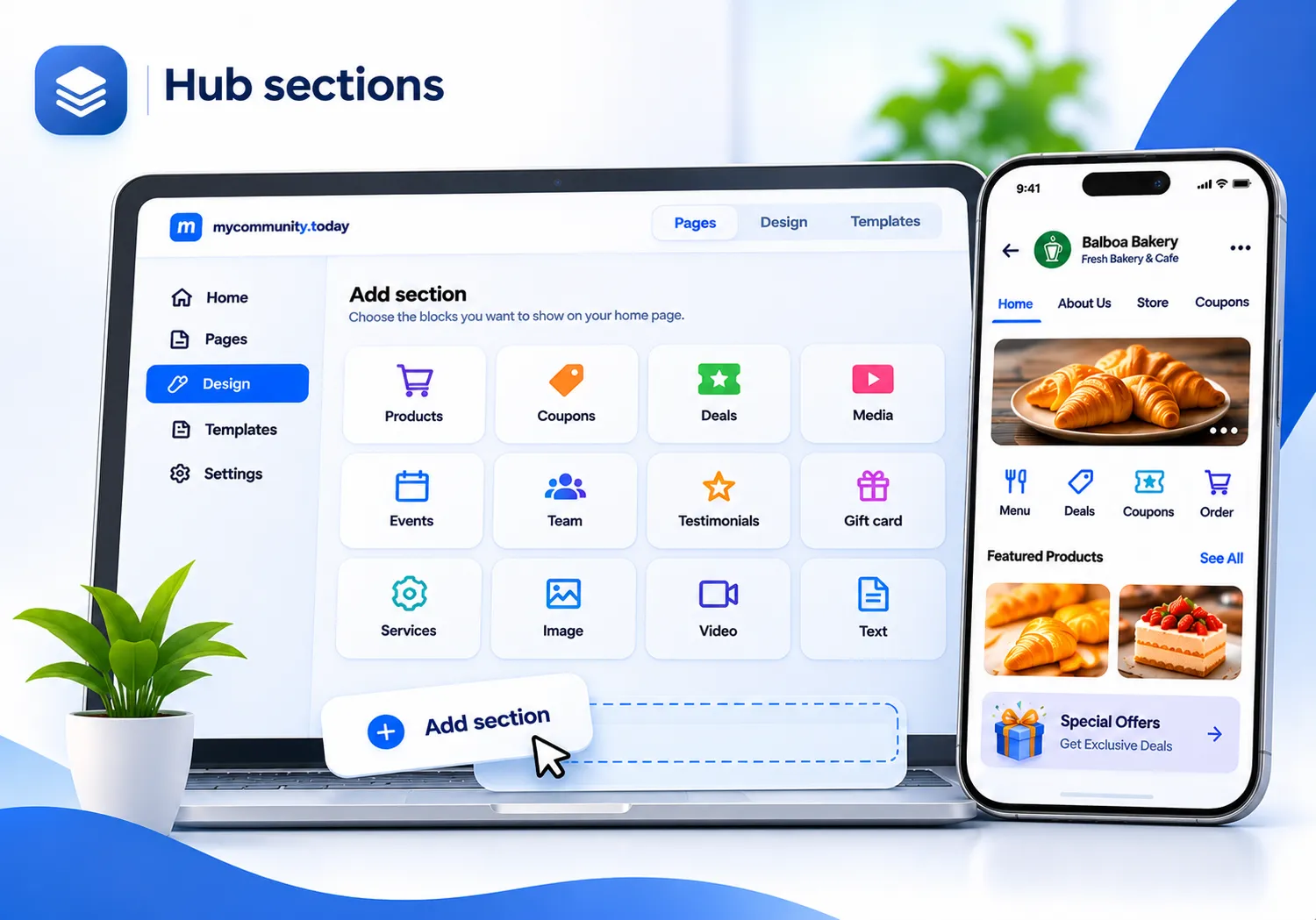
Hub sections
Products, Coupons, Deals, Media, Posts, Events, Team, Testimonials, Services, Gift card, Image, Video and Text.
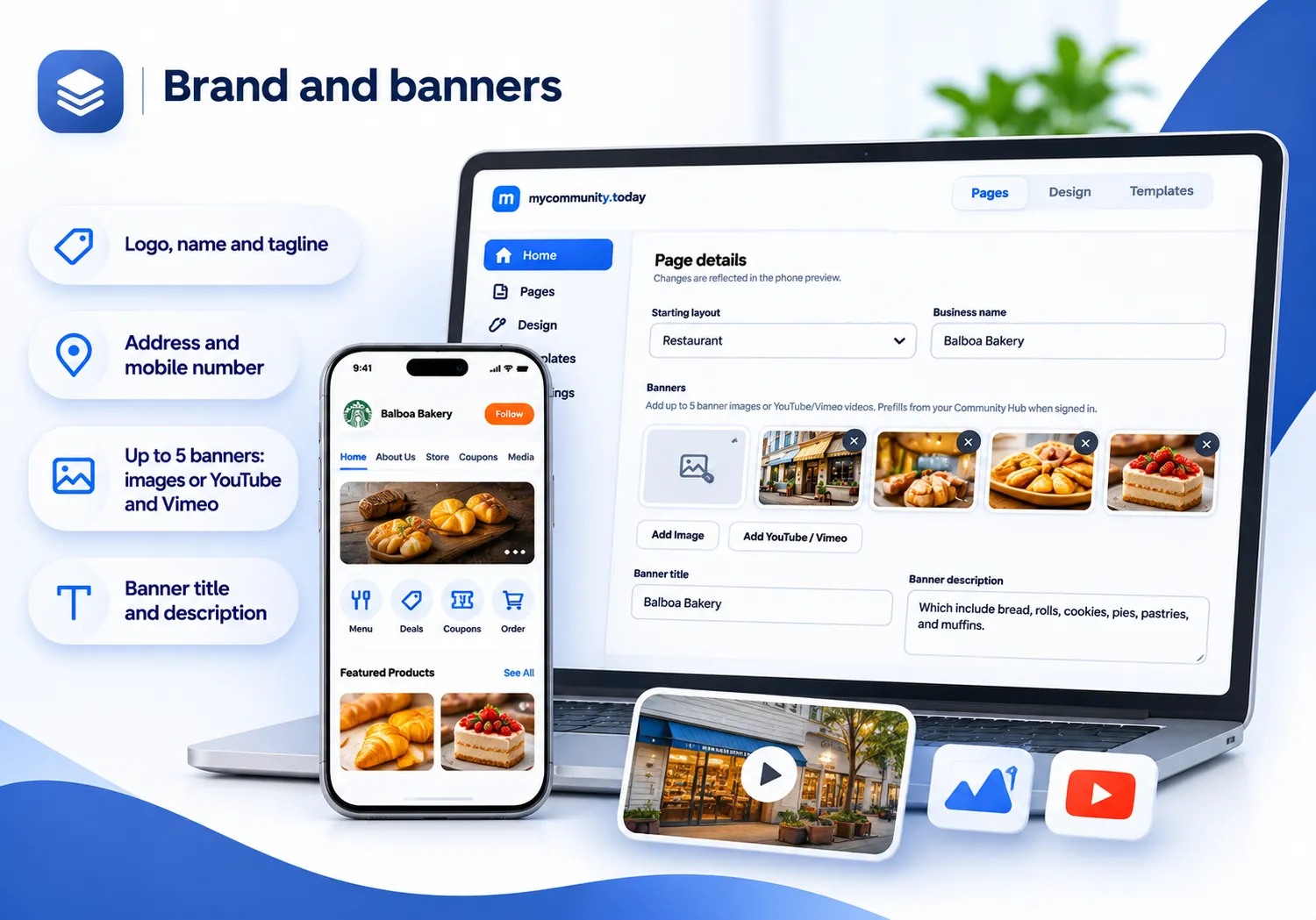
Brand and banners
Show Customers Who You Are
Add your logo, name, tagline, address and phone number, then fill the top of your hub with banners. Details can prefill from your Community Hub when you are signed in.
- Logo, name and tagline
- Address and mobile number
- Up to 5 banners: images or YouTube and Vimeo
- Banner title and description
Header, actions and navigation
Control Every Tap
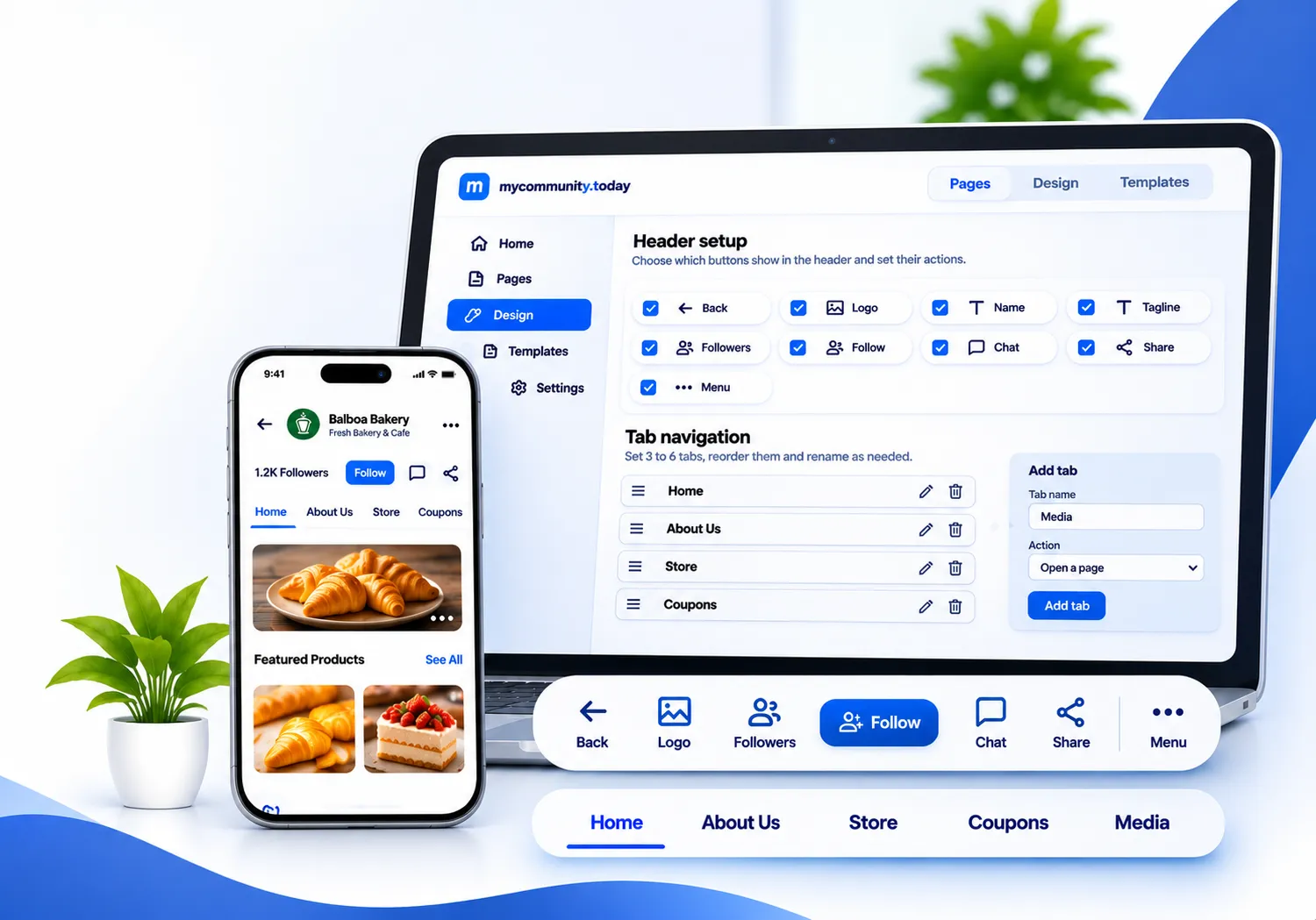
Choose which header buttons show, decide what each one does, and set the tabs customers use to move around your app.
- Back, Logo, Name, Tagline, Followers, Follow, Chat, Share and Menu
- Open a link or page, call an API or run a function
- 3 to 6 navigation tabs, reordered and renamed by you
Hub sections
Build the Home Page Your Way
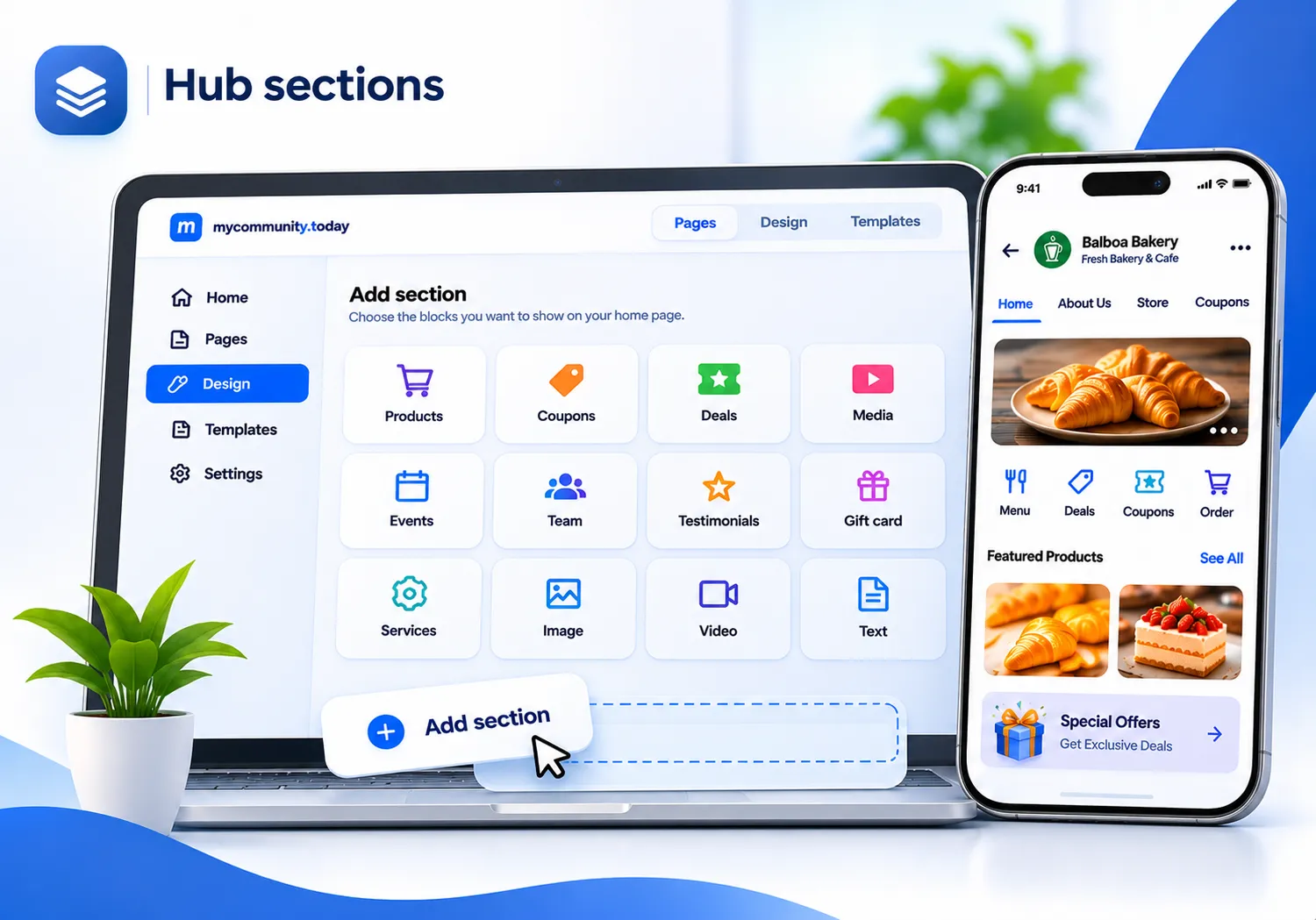
Add the blocks you need and watch them appear in the phone preview. Start from a layout such as Restaurant and change it from there.
- Products and Coupons
- Deals, Media, Posts and Events
- Team, Testimonials, Services and Gift card
- Image, Video and Text
One Design, Every Screen
Design once, then check the app and website sizes your customers use.
iOS
Preview your app on iOS and pick the phone model and zoom.
Android
Switch to Android to check how it looks there.
Desktop and website
See the website-size view before you publish.
Drafts and publishing
Drafts save for your business. Home, Business info and About Us can publish live when signed in.
20 Community Hub Pages, Ready to Design
The Community Hub set is grouped so you can find the right page fast. 43 pages are available in total.
App setup
- Home
- Business info
- Menu
- Store
Business pages
- About Us
- Business FAQ
- Team
- Testimonials
- Posts
- Post
- Services
- Appointment
Community and content
- Events
- Media
- Videos
- Interactivity
Offers and promotions
- Deals
- Coupons
Template management
- Template designer
- Manage templates
Why Give Your Business Its Own App Look?
Customers open your business in the MYCT app and see exactly what you set up.
The challenges
Without App Builder
- A generic listing like every other business
- Waiting on a developer for each change
- A different look on phone and web
- No clear place for offers and media
Our solution
With MYCT App Builder
- Your colours, logo and banners
- Edit it yourself and preview live
- One design across iOS, Android and Desktop
- Products, coupons, deals and media in tabs
Benefits of Working with MYCT | App Builder Services
- Your own app and website look, no developer needed
- Live preview before anything goes public
- 43 available pages and 13 section types
- Consistent design on iOS, Android and Desktop
- Setup help and long-term support
Our Approach to App Builder Setup
We start with your business details, logo and banners. Then we choose a starting layout, set your colours, header actions and tabs, and walk you through the preview, so you publish with confidence.
App Builder Questions, Answered
No. You design it yourself in App Builder and check it in the live preview before you publish.
Yes. Each business sets its own brand details, banners, theme, tabs and sections.
Yes. Preview your hub on iOS, Android and Desktop sizes, with a choice of phone model and zoom.
Yes. Set your accent, background and text colours, font, corner radius and section spacing.
Yes. Drafts save for your business, and you publish when you are ready.
Yes. Start from a layout such as Restaurant, use the Template designer, and manage your templates.
43 pages are available. The 20 Community Hub pages include Home, Business info, Menu, Store, About Us, Services, Events, Deals and Coupons.
Yes. We set up your layout, colours and tabs and support your team after launch.